
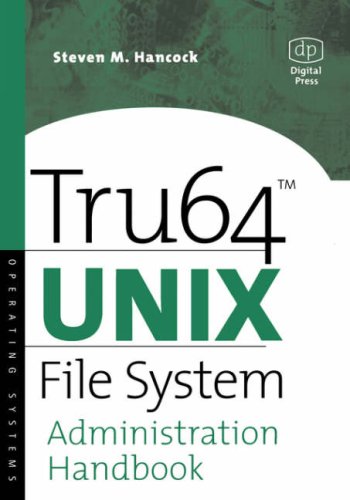
Tru64 UNIX System Administration 1st Edition by Steven Hancock ISBN 1555582273 978-1555582272

Original price was: $50.00.$35.00Current price is: $35.00.
Tru64 UNIX System Administration 1st Edition by Steven Hancock – Ebook PDF Instant Download/Delivery: 1555582273, 978-1555582272
Full download Tru64 UNIX System Administration 1st Edition after payment
Product details:
ISBN 10: 1555582273
ISBN 13: 978-1555582272
Author: Steven Hancock
Tru64 UNIX File System Administration Handbook is a unique and authoritative book that will help systems administrators and other technical professionals understand and master perhaps the most critical part of Tru64 UNIX: the file system by which the operating system stores and manipulates all of the information that enables both it and other applications to function. File system administration thus is one of the most important, complex, and time-consuming tasks Tru64 system administrators must perform.
If Tru64 UNIX is an automobile engine, then the file system is the microprocessor that keeps all of the engine components working together efficiently, and this book explains how to manage, tune, and troubleshoot this processor. Steve Hancock is an ideal author for this book. As a file systems support engineer within Compaq’s Tru64 UNIX group, he trains and consults with systems administrators and engineers within large corporations who are designing, managing, and troubleshooting Tru64 UNIX file systems. Tru64 UNIX File Systems Administration Handbook covers all of the newest and advanced Tru64 UNIX features, including Compaq’s TruCluster technology, which enables organizations to grow their systems by integrating many individual computers.
Complements Digital UNIX System Administrator’s Guide by Cheek
Only book dedicated to this topic, one vital to Tru64 UNIX system administrators
Explains how to deploy Compaq’s TruCluster clustering technology on Tru64 UNIX
Table of contents:
1 System Administration Methods and Utilities
1.1 Overview of the SysMan Menu and Other Utilities
1.2 Related Documentation
1.3 Setting Up Your System
1.4 Administrative Methods
1.5 Administrative Utilities Under CDE
1.5.1 Accessing SysMan Under CDE
1.5.2 System Setup
1.6 SysMan Menu
1.7 Using the SysMan Command Line
1.8 SysMan Station
1.8.1 Using SysMan Station Status Options
1.8.2 Using SysMan Station Views
1.8.3 Using SysMan Station Menu Options
1.9 Compaq Insight Manager
1.10 Using SysMan on a Personal Computer
1.11 Setting Up a Serial Line Console
1.11.1 Setting Up a Console Port
1.11.1.1 Connecting the Modem to COMM1
1.11.1.2 Setting the Configurable DCD Timer Value
1.11.1.3 Setting the Console Environment Variables
1.11.1.4 Verifying the Modem Setup
1.11.2 Initiating a Console Port Connection
1.11.2.1 Using the Console Port
1.11.2.1.1 Turning Off Console Log Messages
1.11.2.1.2 Shutting Down the Remote System
1.11.2.1.3 Ending a Remote Session
1.11.2.2 Troubleshooting the Modem Connection
2 Starting Up and Shutting Down the System
2.1 Overview of the Shutdown and Boot Operations
2.1.1 Shutdown Methods
2.1.2 Boot Methods
2.1.3 Related Documentation
2.1.4 System Files
2.1.5 Related Utilities
2.2 Understanding the Boot Operation
2.2.1 Booting Automatically or Manually
2.2.2 Booting to Single-User or Multiuser Mode
2.3 Preparing to Boot the Installed System
2.3.1 Preparing to Boot a Powered-Down System
2.3.2 Preparing to Boot a Powered-Up, Halted System
2.3.3 Preparing to Transition from Single-User Mode
2.3.4 Preparing to Boot a Crashed System
2.3.5 Preparing to Boot a System Taken Off the Network
2.4 Booting the System
2.4.1 Defining the Console Environment Variables and Using the Boot Commands
2.4.2 Overriding the Boot Commands
2.4.3 Using Interactive Boot to Verify the Root File System
2.5 Identifying System Run Levels
2.6 Changing System Run Levels
2.6.1 Changing Run Levels in Single-User Mode
2.6.2 Changing Run Levels from Multiuser Mode
2.6.2.1 Changing to a Different Multiuser Run Level
2.6.2.2 Changing to Single-User Mode
2.6.2.3 Reexamining the inittab File
2.7 Symmetric Multiprocessing
2.7.1 Adding CPUs to an Existing System
2.7.2 Unattended Reboots on Multiprocessor Systems
2.8 Setting and Resetting the System Clock
2.9 Troubleshooting Boot Problems
2.10 Shutting Down the System
2.11 Stopping Systems While in Multiuser Mode
2.11.1 Using SysMan shutdown
2.11.2 Shutting Down the System and Warning Other Users
2.11.3 Shutting Down and Halting the System
2.11.4 Shutting Down and Automatically Rebooting the System
2.11.5 Shutting Down and Halting Systems Immediately
2.12 Stopping Systems While in Single-User Mode
2.12.1 Stopping and Rebooting Systems with the reboot Command
2.12.2 Stopping Systems with the fasthalt Command
2.12.3 Stopping Systems with the fastboot Command
3 Customizing the System Environment
3.1 Identifying and Modifying the System Initialization Files
3.1.1 Using the /etc/inittab File
3.1.1.1 Specifying the Initialization Default Run Level
3.1.1.2 Specifying wait Run Levels
3.1.1.3 Specifying Console Run Levels
3.1.1.4 Specifying Terminals and Terminal Run Levels
3.1.1.5 Specifying Process Run Levels
3.1.1.6 Securing a Terminal Line
3.1.2 Using the init and rc Directory Structure
3.1.2.1 The init.d Directory
3.1.2.2 The rc0.d Directory and rc0 Run Command Script
3.1.2.3 The rc2.d Directory and rc2 Run Command Script
3.1.2.4 The rc3.d Directory and rc3 Run Command Script
3.1.3 Using the crontabs Directory
3.2 Using National Language Support
3.2.1 Setting Locale
3.2.2 Modifying Locale Categories
3.2.3 Limitations of Locale Variables
3.2.4 Setting Environment Variables for Message Catalogs and Locales
3.3 Customizing Internationalization Features
3.4 Customizing Your Time Zone
3.5 Customizing CPU Resource Allocation
3.5.1 Class Scheduler Overview
3.5.1.1 Related Utilities
3.5.1.2 Invoking the Class Scheduler
3.5.2 Planning Class Scheduling
3.5.3 Configuring Class Scheduling
3.5.4 Creating and Managing Classes
3.5.4.1 Creating a Class
3.5.4.2 Managing Identifier Types Within Classes
3.5.4.3 Enabling the Class Scheduler
3.5.4.4 Adding Members to a Class
3.5.4.5 Deleting Members From a Class
3.5.5 Other Class Management Options
3.5.5.1 Using the ruclass Command
3.5.5.2 Using the Class Scheduling Graphical Interface
3.5.5.3 Creating or Modifying a Database
3.6 Customizing Power Management
3.6.2 Using the sysconfig Command
3.6.2.1 Changing Power Management Values
3.6.2.2 Changing a Running Kernel or X Server
3.6.3 Using the SysMan Station
3.7 Adding Swap Space
3.7.1 Related Documentation and Utilities
3.7.2 Allocating Swap Space
3.7.3 Estimating Swap Space Requirements
3.7.4 Selecting the Swap Space Allocation Method
3.7.5 Correcting an Apparent Lack of Swap Space
4 Configuring the Kernel
4.1 Related Documentation and Utilities
4.2 System Configuration at Installation Time
4.3 Deciding When and How to Reconfigure Your Kernel
4.4 Dynamic System Configuration
4.4.1 Configuring Subsystems
4.4.2 Listing the Configured Subsystems
4.4.3 Determining the Subsystem Type
4.4.4 Unloading a Subsystem
4.4.5 Maintaining the List of Automatically Configured Subsystems
4.4.6 Managing Subsystem Attributes
4.4.6.1 Determining the Current Value of Subsystem Attributes
4.4.6.2 Identifying Run-time Configurable Subsystem Attributes
4.4.6.3 Modifying Attribute Values at Run Time
4.4.7 Managing Subsystems and Attributes Remotely
4.4.8 Managing the Subsystem Attributes Database
4.4.8.1 Listing Attributes in the Database
4.4.8.2 Adding Attributes to the Database
4.4.8.3 Merging New Definitions into Existing Database Entries
4.4.8.4 Updating Attributes in the Database
4.4.8.5 Removing Attribute Definitions from the Database
4.4.8.6 Deleting Subsystem Entries from the Database
4.5 Static System Configuration
4.5.1 Building the Kernel to Add Support for a New Device
4.5.2 Building the Kernel to Add Selected Kernel Options
4.5.3 Building a Kernel After Modifying System Files
4.6 Configuration Files
4.6.1 Configuration Files in /usr/sys/conf
4.6.2 Extensions to the Target Configuration File
4.6.3 The param.c File
4.6.4 System Configuration File Entries
5 Administering Hardware
5.1 Understanding Hardware
5.2 Reference Information
5.2.1 Related Documentation
5.2.2 Identifying Hardware Management System Files
5.2.3 WWIDs and Shared Devices
5.2.4 Related Commands and Utilities
5.3 Using the SysMan Hardware Tasks
5.3.1 Viewing the Hardware Hierarchy
5.3.2 Viewing the Cluster
5.3.3 Viewing Device Information
5.3.4 Viewing CPU Information
5.3.5 Using the SysMan Station
5.4 Using hwmgr to Manage Hardware
5.4.1 Understanding the Hardware Management Model
5.4.2 Understanding hwmgr Command Options
5.4.3 Configuring the hwmgr Environment
5.4.4 Using hwmgr to Manage Hardware
5.4.4.1 Locating SCSI Hardware
5.4.4.2 Viewing the System Hierarchy
5.4.4.3 Viewing System Categories
5.4.4.4 Obtaining Component Attributes
5.4.4.5 Setting Component Attributes
5.4.4.6 Viewing the Cluster
5.4.4.7 Viewing Devices
5.4.4.8 Viewing Transactions
5.4.4.9 Deleting a SCSI Device
5.4.4.10 Creating a User-Defined SCSI Device Name
5.4.4.11 Replacing a Failed SCSI Device
5.4.4.12 Using hwmgr to Replace a Cluster Member’s Boot Disk
5.4.4.13 Viewing the Persistence Database for the name Subsystem
5.4.4.14 Deleting and Removing a Device from the name Persistence Database
5.5 Device Naming and Device Special Files
5.5.1 Related Documentation and Commands
5.5.2 Device Special File Directories
5.5.2.1 Legacy Device Special File Names
5.5.2.2 Current Device Special File Names
5.5.2.3 Converting Device Special File Names
5.5.3 Managing Device Special Files
5.5.3.1 Using dn_setup to Perform Generic Operations
5.5.3.2 Displaying Device Classes and Categories
5.5.3.3 Verifying and Fixing the Databases
5.5.3.4 Deleting Device Special Files
5.5.3.5 Moving and Exchanging Device Special File Names
5.6 Manually Configuring Devices Using ddr_config
5.6.1 Dynamic Method to Reconfigure the Kernel
5.6.1.1 Understanding Dynamic Device Recognition
5.6.1.1.1 Conforming to Standards
5.6.1.1.2 Understanding DDR Messages
5.6.2 Changing the DDR Database
5.6.3 Converting Customized cam_data.c Information
5.6.4 Adding Pseudoterminals and Devices Without Using DDR
5.6.4.1 Adding Pseudoterminals
5.6.4.2 Adding Other Devices
5.7 Using Device Commands and Utilities
5.7.1 Finding Device Utilities
5.7.2 SCSI and Device Driver Utilities
5.7.2.1 Using the SCSI Configuration Utility, scu
5.7.2.2 Using the Device Switch Manager, devswmgr
5.7.3 Partitioning Disks Using diskconfig
5.7.4 Manually Partitioning Disks
5.7.4.1 Checking for Overlapping Partitions
5.7.5 Copying Disks
5.7.6 Monitoring Disk Use
5.7.6.1 Checking Available Free Space
5.7.6.2 Checking Disk Use
6 Administering File Systems
6.1 Introduction to File Systems
6.1.1 Directory Hierarchy for File Systems
6.1.2 Disk Partitions
6.1.3 UFS Version 4.0
6.1.4 File System Structures: UFS
6.1.5 Directories and File Types
6.1.6 Device Special Files
6.2 Context-Dependent Symbolic Links and Clusters
6.2.1 Related Documentation
6.2.2 Description of CDSL
6.2.2.1 Structure of a CDSL
6.2.2.2 Maintaining CDSLs
6.2.2.2.1 Checking CDSL Inventory
6.2.3 Creating CDSLs
6.3 Creating UFS File Systems Manually
6.3.1 Using newfs to Create a New File System
6.3.2 Making File Systems Accessible to Users
6.3.3 Using the /etc/fstab File
6.3.4 Using the mount Command
6.3.5 Using the umount Command
6.3.6 Extending the UFS File System
6.3.6.1 Extending a Dismounted File System
6.3.6.2 Extending a Mounted File System
6.4 Administering UFS File Systems Using SysMan
6.4.1 File System Tasks in the SysMan Menu
6.4.2 Using SysMan to Dismount a File System
6.4.3 Using SysMan to Display Mounted File Systems
6.4.4 Using SysMan to Mount File Systems
6.4.5 Using SysMan to Share a Local Directory
6.4.6 Using SysMan to Mount a Network File System
6.4.7 Using SysMan to Create a UFS File System
6.5 Managing Quotas
6.5.1 Hard and Soft Quota Limits
6.5.2 Activating File System Quotas
6.5.3 Setting File System Quotas for User Accounts
6.5.4 Verifying File System Quotas
6.6 Backing Up and Restoring File Systems
6.7 Monitoring and Tuning File Systems
6.7.1 Checking UFS Consistency
6.7.2 Monitoring File System Use of Disks
6.7.3 Checking Available Free Space
6.7.4 Checking Disk Use
6.7.5 Improving UFS Read Efficiency
7 Administering User Accounts and Groups
7.1 Account Administration Options and Restrictions
7.1.1 Administrative Utilities
7.1.2 Notes and Restrictions on Using the Utilities
7.1.3 Related Documentation
7.1.4 Related Utilities
7.2 Account Administration – Quick Start
7.2.1 Creating Primary Accounts During System Setup
7.2.2 Using the Account Manager (dxaccounts) GUI
7.2.3 Using the SysMan Menu Accounts Option
7.2.4 Using the Command-Line Utilities
7.2.5 Advanced Server for UNIX
7.3 Understanding User Accounts and Groups
7.3.1 System Files
7.3.2 Understanding Identifiers – UIDs and GIDs
7.3.3 Understanding the Password File
7.3.4 Understanding the Group File
7.4 Administering User Accounts
7.4.1 Using the SysMan Menu Accounts Options
7.4.1.1 Gathering Account Information
7.4.1.2 Setting Filter and Display Options
7.4.1.3 Using Filter Options
7.4.1.4 Creating or Modifying Local Accounts
7.4.1.5 Deleting Local Accounts
7.4.1.6 Creating or Modifying NIS Accounts
7.4.1.7 Deleting NIS Accounts
7.4.2 Using the Account Manager (dxaccounts)
7.4.2.1 Adding and Modifying Accounts
7.4.2.2 Deleting Accounts
7.4.2.3 Finding and Selecting Accounts
7.4.2.4 Copying Accounts
7.4.2.5 Using the Password Option
7.4.3 Account Manager (dxaccounts) General Options
7.5 Administering Groups
7.5.1 Using the SysMan Menu Accounts Group Options
7.5.1.1 Gathering Group Information
7.5.1.2 Creating or Modifying Groups
7.5.2 Using the Account Manager (dxaccounts)
7.5.2.1 Adding Groups
7.5.2.2 Modifying Groups
7.5.2.3 Deleting Groups
7.6 Administering Windows Domain Accounts and Groups
7.6.1 Administering Synchronized Accounts
7.6.1.1 Using SysMan Menu Accounts and Groups Options
7.6.1.2 Using the Account Manager (dxaccounts)
7.6.1.3 Using Command-Line Utilities
7.6.1.4 Using the ASU User Manager for Domains
7.6.1.5 Using ASU net Commands
7.6.2 Windows 2000 Single Sign-On
7.6.2.1 Single Sign-On Installation Requirements
7.6.2.2 Installing the Single Sign-On Software
7.6.2.3 UNIX Requirements for Creating Single Sign-On Accounts
7.6.2.4 Creating Single Sign-On Accounts and Groups
7.6.2.5 Single Sign-On System Files
8 Administering the Print Services
8.1 Print Administrative Tasks
8.1.1 Advanced Printing Software
8.1.2 Printer Configuration Methods
8.1.3 Related Documentation
8.1.4 System Files
8.1.5 Related Utilities
8.2 Configuring Printers
8.2.1 Gathering Information
8.2.1.1 Direct and Network Printers
8.2.1.2 Remote Printers
8.2.1.3 Printer Data Worksheet
8.2.2 Installing a Local Printer
8.2.3 Setting Up Remote Printers
8.2.4 TCP/IP Printing
8.2.4.1 Setting Up TCP/IP Printing Using printconfig
8.2.4.2 Setting Up TCP/IP Printing Manually
8.2.5 Configuring PC Print Queues
8.2.6 Using Iprsetup to Install a Printer
8.2.6.1 Print Symbols for Advanced Printing Services
8.3 Routine Print System Maintenance
8.3.1 Adding Printers
8.3.2 Modifying Printers
8.3.3 Removing Printers
8.3.4 Controlling Local Print Jobs and Queues
9 Administering the Archiving Services
9.1 Understanding Backup Tasks
9.2 Backing Up Data and System Files
9.3 Choosing a Backup Schedule
9.4 Backup Methods
9.5 Preparing to Perform a Backup
9.5.1 System Files
9.5.2 Related Utilities
9.5.3 Prerequisite Tasks
9.6 Using the dump Command
9.6.1 Performing a Full Backup
9.6.2 Performing an Incremental Backup
9.6.3 Performing a Remote Backup
9.6.4 Using Backup Scripts
9.7 Restoring Data
9.7.1 Restoring a File System
9.7.2 Restoring Files Manually
9.7.3 Restoring Files Interactively
9.7.4 Restoring Files Remotely
9.7.5 Restoring or Duplicating a System (Root) Disk
9.7.5.1 Preparing for Recovery or Duplication
9.7.5.2 Determining the Restoration Requirements
9.7.5.3 Applying the Procedure
9.7.5.4 Using Alternative root Disk Duplication Methods
9.7.6 Restoring the /usr and /var File System
9.8 Using the Command-Line Utilities tar pax and cpio
9.9 Using dxarchiver
9.10 Creating a Standalone System Kernel on Tape
9.10.1 Tape Device Requirements
9.10.2 Using the btextract Utility
9.10.2.1 Gathering Information
9.10.2.2 Creating the SAS Kernel
9.10.3 Using the btextract Utility
9.10.4 Using the SysMan Menu boot_tape Option
10 Administering the System Accounting Services
10.1 Accounting Overview
10.1.1 Accounting Shell Scripts and Commands
10.1.2 Accounting Files
10.2 Setting Up Accounting
10.2.1 Enabling Accounting in the rc.config File
10.2.2 Verifying the qacct pacct and fee Files
10.2.3 Editing the holidays File
10.2.4 Modifying the crontab Files
10.3 Starting Up and Stopping Accounting
10.4 Connect Session Accounting
10.4.1 The wtmpfix Command
10.4.2 The fwtmp Command
10.4.3 The acctwtmp Command
10.4.4 The ac Command
10.4.5 The acctcon1 Command
10.4.6 The acctcon2 Command
10.4.7 The prctmp Shell Script
10.4.8 The lastlogin Shell Script
10.4.9 The last Command
10.5 Process Accounting
10.5.1 The accton Command
10 Administering the System Accounting Services
10 1 Accounting Overview
10 1 1 Accounting Shell Scripts and Commands
10 1 2 Accounting Files
10 2 Setting Up Accounting
10 2 1 Enabling Accounting in the rc config File
10 2 2 Verifying the qacct pacct and fee Files
10 2 3 Editing the holidays File
10 2 4 Modifying the crontab Files
10 3 Starting Up and Stopping Accounting
10 4 Connect Session Accounting
10 4 1 The wtmpfix Command
10 4 2 The fwtmp Command
10 4 3 The acctwtmp Command
10 4 4 The ac Command
10 4 5 The acctcon1 Command
10 4 6 The acctcon2 Command
10 4 7 The prctmp Shell Script
10 4 8 The lastlogin Shell Script
10 4 9 The last Command
10 5 Process Accounting
10 5 1 The accton Command
10 5 2 The turnacct Shell Script
10 5 3 The ckpacct Shell Script
10 5 4 The acctcom Command
10 5 5 The sa Command
10 5 6 The acctcms Command
10 5 7 The acctprc1 Command
10 5 8 The acctprc2 Command
10 5 9 The lastcomm Command
10 6 Disk Usage Accounting
10 6 1 The dodisk Shell Script
10 6 2 The diskusg Command
10 6 3 The acctdusg Command
10 6 4 The acctdisk Command
10 7 System Administration Service Accounting
10 8 Printer Accounting
10 9 Creating Daily Summary and Monthly Report Files
10 9 1 The runacct Shell Script
10 9 1 1 Correcting runacct Shell Script Errors
10 9 1 2 Examples of Errors and Corrective Actions
10 9 2 The acctmerg Command
10 9 3 The prtacct Shell Script
10 9 4 The prdaily Shell Script
10 9 5 The monacct Shell Script
11 Monitoring and Testing the System
11 1 Overview of Monitoring and Testing
11 1 1 Guidelines for Monitoring Systems
11 1 2 Summary of Commands and Utilities
11 1 2 1 Command Line Utilities
11 1 2 2 SysMan Menu Monitoring and Tuning Tasks
11 1 2 3 X11 Compliant Graphical Interfaces
11 1 2 4 Advanced Monitoring Utilities
11 1 3 Related Documentation
11 2 Configuring and Using Monitoring Utilities
11 2 1 Using collect to Record System Data
11 2 2 Using the sys check Utility
11 2 3 Using the Monitoring Performance History Utility
11 3 Environmental Monitoring
11 3 1 Loadable Kernel Module
11 3 1 3 Server System MIB Subagent
11 3 2 Monitoring Environmental Thresholds
11 3 2 1 Environmental Monitoring Daemon
11 3 2 2 Customizing the envmond Daemon
11 3 3 User Definable Messages
11 4 Using System Exercisers
11 4 1 Running System Exercisers
11 4 3 Exercising a File System
11 4 4 Exercising System Memory
11 4 5 Exercising Shared Memory
11 4 6 Exercising a Disk Drive
11 4 7 Exercising a Tape Drive
11 4 8 Exercising the Terminal Communication System
12 Administering the Basic System Event Channels
12 1 Understanding the Basic Event Logging Facilities
12 1 1 System Event Logging
12 1 2 Binary Event Logging
12 2 Configuring Event Logging
12 2 1 Editing the Configuration Files
12 2 1 1 Editing the syslog conf File
12 2 1 2 Configuring syslog to Use EVM
12 2 1 3 Editing the binlog conf File
12 2 2 syslog Security and Remote Messages
12 2 3 Creating the Special Files
12 2 4 Starting and Stopping the Event Logging Daemons
12 2 4 1 The syslogd Daemon
12 2 4 2 The binlogd Daemon
12 2 5 Configuring the Kernel Binary Event Logger
12 3 Recovering Event Logs After a System Crash
12 4 Managing Log Files
12 5 Startup Log Messages in var adm messages
13 Event Management Using EVM
13 1 EVM Overview
13 1 1 Understanding EVM Events
13 1 2 EVM Components
13 1 2 1 EVM Command Line Utilities
13 1 2 2 EVM Application Programming Interface
People also search for:
tru64 unix
tru64 unix download
tru64 unix system administrator’s guide
tru64 emulator
tru64 unix system administrator’s guide pdf
Tags:
Steven Hancock,Tru64 UNIX,System Administration