
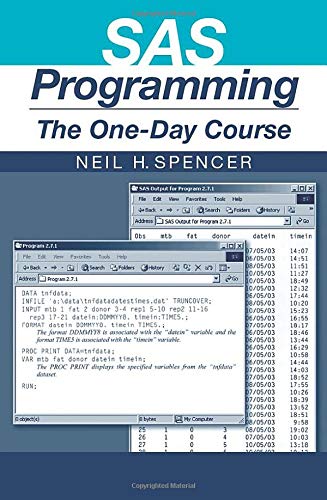
SAS Programming The One Day Course 1st Edition by Neil Spencer ISBN 1584884096 978-1584884095
Original price was: $50.00.$35.00Current price is: $35.00.
SAS Programming The One Day Course 1st Edition by Neil H. Spencer – Ebook PDF Instant Download/Delivery: 1584884096, 978-1584884095
Full download SAS Programming The One Day Course 1st Edition after payment
Product details:
ISBN 10: 1584884096
ISBN 13: 978-1584884095
Author: Neil H. Spencer
Presents an introduction to using the SAS programming language. This title offers a start in SAS programming and the basic data manipulations and statistical summaries that are available through SAS. Including explanations of how to carry out data manipulations that real-life data call for, it contains ‘tasks’ for the reader, with solutions.
Table of contents:
1 Introducing SAS
1.1 Operating SAS
1.1.1 Writing and Submitting a SAS Program
1.1.2 SAS Log
1.1.3 SAS Output
1.2 Operating SAS with Microsoft Windows
1.2.1 Other Windows
1.2.2 Clearing Text from Windows
2 Reading Data into SAS
2.1 What is Plain Text?
2.2 Tumour Necrosis Factor (TNF) Data
2.3 Giving Labels to Variables
2.4 Category Labels
2.5 Using Simple Arithmetic to Create a New Variable
2.6 PROC IMPORT
2.6.1 Delimited Files
2.6.2 Spreadsheet Files
2.6.3 Database Files
2.7 Reading Dates and Times
2.8 Tasks
3 Saving and Output of SAS Datasets
3.4 PUT
3.5 PROC EXPORT
3.5.1 Delimited Files
3.5.2 Spreadsheet Files
3.5.3 Database Files
3.6 Tasks
4 Manipulating Datasets
4.1 Merging Datasets
4.2 Concatenating Datasets
4.3 Merging and Concatenating in One Program
4.4 Further Manipulation of Datasets
4.5 Tasks
5 Restructuring Datasets
5.1 Splitting One Row of Data into Several Rows
5.2 Combining Several Rows of Data into One Row
5.3 Tasks
6 Summarising Data
6.1 PROC MEANS
6.2 PROC UNIVARIATE
6.3 PROC FREQ
6.4 Tasks
7 Tabulating Data
7.1 PROC MEANS
7.2 PROC TABULATE for Summarising Data
7.3 PROC TABULATE for Cross-Tabulations
7.4 Tasks
8 Formatting and Saving SAS Output
8.1 Output Delivery System
8.1.1 Listing
8.1.2 Printer
8.1.3 HTML
8.1.4 RTF
8.1.5 PDF
8.1.6 OUTPUT
8.1.7 ODS TRACE
8.1.8 PROC TEMPLATE
8.1.9 Example Using ODS Destinations, TRACE and SELECT
8.1.10 Names Required
8.1.11 Printing the “Quantiles Output” Dataset to the HTML Destination
8.2 Saving SAS Output as a SAS Dataset
8.3 Tasks
9 Graphics in SAS
9.1 Los Angeles Depression Data
9.2 Histogram of CESD Score
9.2.1 Basic Histogram
9.2.2 Labelling of End Points for Bars
9.2.3 Defining the Bars
9.2.4 Counts and Labels on the Vertical Axis
9.2.5 Adding a Normal Curve
9.3 Bar Chart of Marital Status
9.3.1 Basic Bar Chart
9.3.2 Three-Dimensional Bar Chart
9.3.3 Bar Chart with Formatted Axis
9.3.4 Bar Chart with Formatted Axis and Labelled Bars
9.3.5 Bar Chart with Summaries by Another Variable
9.4 Bar Chart of Religion Grouped by Marital Status
9.4.1 Horizontal Bar Chart
9.4.2 Stacked Bar Chart
9.5 Pie Chart of Marital Status
9.5.1 Basic Pie Chart
9.5.2 Pie Chart with Formatting
9.5.3 Pie Chart with Formatting and an Exploded Segment
9.6 Plot of CESD Score against Age
9.6.1 Basic Scatter Plot
9.6.2 Scatter Plot with Formatting
9.7 Tasks
10 An Introduction to Macros
10.1 Example of a Macro to Print Datasets
10.2 Example of a Macro to Create and Format a Histogram
10.3 Tasks
People also search for:
sas programming 1 course
sas programming 1 class
sas programming 101
sas programming 1
sas programming 1 essentials
Tags:
Neil Spencer,SAS Programming,The One Day