
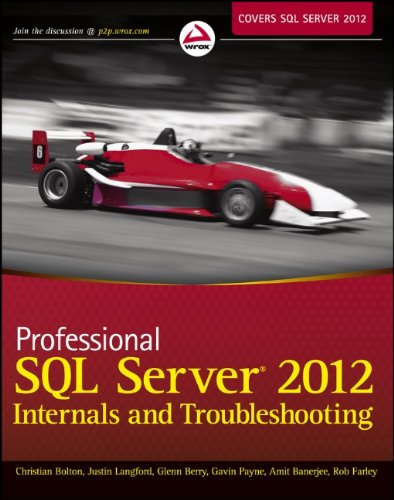
Professional SQL Server 2012 Internals and Troubleshooting 1st Edition by Christian Bolton, Rob Farley, Glenn Berry, Justin Langford, Gavin Payne, Amit Banerjee ISBN 978-1118177655 1118177657

Original price was: $50.00.$35.00Current price is: $35.00.
Professional SQL Server 2012 Internals and Troubleshooting 1st Edition by Christian Bolton, Rob Farley, Glenn Berry, Justin Langford, Gavin Payne, Amit Banerjee – Ebook PDF Instant Download/Delivery: 978-1118177655, 1118177657
Full download Professional SQL Server 2012 Internals and Troubleshooting 1st Edition after payment
Product details:
ISBN 10: 1118177657
ISBN 13: 978-1118177655
Author: Christian Bolton, Rob Farley, Glenn Berry, Justin Langford, Gavin Payne, Amit Banerjee
Hands-on troubleshooting methods on the most recent release of SQL Server
The 2012 release of SQL Server is the most significant one since 2005 and introduces an abundance of new features. This critical book provides in-depth coverage of best practices for troubleshooting performance problems based on a solid understanding of both SQL Server and Windows internals and shows experienced DBAs how to ensure reliable performance. The team of authors shows you how to master the use of specific troubleshooting tools and how to interpret their output so you can quickly identify and resolve any performance issue on any server running SQL Server.
- Covers the core technical topics required to understand how SQL Server and Windows should be working
- Shares best practices so that you know how to proactively monitor and avoid problems
- Shows how to use tools to quickly gather, analyze, and effectively respond to the source of a system-wide performance issue
Professional SQL Server 2012 Internals and Troubleshooting helps you to quickly become familiar with the changes of this new release so that you can best handle database performance and troubleshooting.
Table of contents:
Part I: Internals
-
SQL Server Architecture
- Introduction
- Database Transactions
- ACID Properties
- SQL Server Transactions
- The Life Cycle of a Query
- The Relational and Storage Engines
- The Buffer Pool
- A Basic SELECT Query
- A Simple Update Query
- Recovery
- SQL Server’s Execution Model and the SQLOS
- Summary -
Demystifying Hardware
- The Importance of Hardware
- How Workload Affects Hardware and Storage Considerations
- Server Model Selection and Evolution
- Processor Vendor Selection (Intel, AMD)
- Choosing and Configuring Hardware for Redundancy
- Hardware Comparison Tools
- Summary -
Understanding Memory
- Introduction
- Physical and Virtual Memory
- NUMA
- SQL Server Memory
- Optimizing SQL Server Memory Configuration
- Summary -
Storage Systems
- Introduction
- SQL Server I/O and Storage Technology
- Choosing Storage Networks and Arrays
- Capacity Optimization and Storage Tiering
- Data Replication
- Windows Failover Clustering and AlwaysOn Availability Groups
- Risk Mitigation and Performance Measurement
- Storage Performance Testing
- Summary -
Query Processing and Execution
- Introduction
- Query Processing: Parsing, Algebrizing, Optimization
- Parallel Plans, Algebrizer Trees, Plan Handles
- Understanding Statistics, Plan Caching and Recompilation
- Influencing Optimization
- Query Plans and Operators
- Executing Queries
- SQLOS
- Summary -
Locking and Concurrency
- Overview
- Transactions and ACID Properties
- Concurrency Issues: Lost Updates, Dirty Reads, Non-Repeatable Reads, Phantom Reads, Double Reads, Halloween Effect
- Locks: Modes, Compatibility, Escalation, Deadlocks
- Isolation Levels: Serializable, Repeatable Read, Read Committed, Read Uncommitted, Snapshot
- Summary -
Latches and Spinlocks
- Overview
- Symptoms and Measurement of Contention
- Latch and Spinlock Definitions, Types, Modes, Compatibility
- Monitoring and Examples
- Summary -
Knowing Tempdb
- Introduction and Usage
- User and Internal Temporary Objects
- The Version Store
- Troubleshooting Common Issues
- Configuration Best Practices
- Summary
Part II: Troubleshooting Tools and Lessons from the Field
9. Troubleshooting Methodology and Practices
- Introduction
- Approaching Problems: Ten Steps, Behavior, Success Criteria
- Defining and Isolating the Problem
- Data Collection and Analysis
- Validating and Implementing Resolution
- Summary
-
Viewing Server Performance With PerfMon and the PAL Tool
- Introduction
- Performance Monitor Overview and Counters
- Getting Started and Advanced Usage
- Bottlenecks, Wait Stats, Baseline, Log Analysis
- Summary -
Consolidating Data Capture With SQLdiag
- Data Collection Approach
- Using SQLdiag (Snapshot, Command-line, Service, Configuration Manager)
- Adding Trace Filters and Best Practices
- Summary -
Bringing It All Together With SQL Nexus
- Introduction and Setup
- Loading and Analyzing Data
- Customizing SQL Nexus
- Using ReadTrace.exe, Reports, Queries, OSTRESS
- Resolving Common Issues
- Summary -
Diagnosing SQL Server 2012 Using Extended Events
- Introduction and Terminology
- Creating and Monitoring Sessions
- Viewing Event Data
- Summary -
Enhancing Your Troubleshooting Toolset With PowerShell
- Introduction and Environment
- Cmdlets, Variables, Functions, Modules
- Remote Work and New Features in SQL Server 2012
- Investigating Server Issues
- Scheduling and Maintenance
- Summary -
Delivering a SQL Server Health Check
- Importance
- Running DMV and DMF Queries
- SQL Server Builds and Database-Level Queries
- Summary -
Delivering Manageability and Performance
- SQL Server Manageability Features
- Policy-Based Management
- Other Microsoft Tools (System Center Advisor, Operations Manager)
- Summary -
Running SQL Server in a Virtual Environment
- Virtualization Overview and History
- Benefits and Concepts
- SQL Server 2012 and Virtualization
- Virtual Server Design, Monitoring, and Contention
- Summary
People also search for:
professional sql server 2012 internals and troubleshooting pdf
professional microsoft sql server 2012 integration services
microsoft sql server 2012 internals
pro sql server internals
sql server 2012 requirements
Tags: Christian Bolton, Rob Farley, Glenn Berry, Justin Langford, Gavin Payne, Amit Banerjee, Professional SQL, Server 2012 Internals