
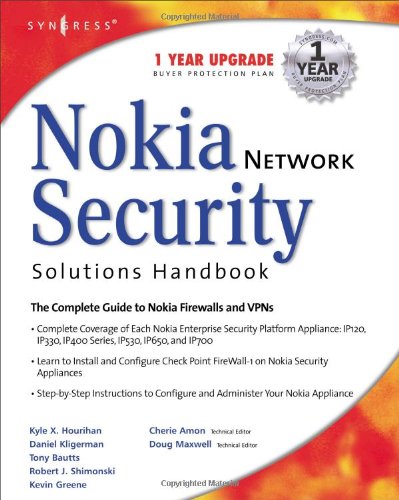
Nokia Network Security Solutions Handbook 1st Edition by Doug Maxwell ISBN 978-1931836708 1931836701
Original price was: $50.00.$35.00Current price is: $35.00.
Nokia Network Security Solutions Handbook 1st Edition by Doug Maxwell – Ebook PDF Instant Download/Delivery: 978-1931836708, 1931836701
Full download Nokia Network Security Solutions Handbook 1st Edition after payment
Product details:
ISBN 10: 1931836701
ISBN 13: 978-1931836708
Author: Doug Maxwell
The Nokia Network Security Solutions Handbook introduces readers to both the basics and the finer points of administering, configuring, and securing the Nokia IP-series hardware appliances. It introduces readers to the different hardware models and covers the features associated with each. Installation and setup are covered in detail, as well as installation and configuration of the Check Point firewall on the Nokia system.
Readers will learn basic system administration, security, and monitoring before moving into advanced system administration concepts, as well as learning how to use Nokia’s command line interface. Routing configurations and the different protocols involved are covered in detail, finishing off with a comprehensive discussion of the High-availability configuration that is Nokia’s strength. The appendices include coverage of the UNIX basics which lie at the heart of the IPSO operating system and a review of the other packages available for Nokia systems (such as Perl and Bash).
The only book dedicated to coverage of the latest Nokia hardware and software offerings, from the SOHO appliances to the enterprise-class IP700 series, with an emphasis on administering and securing these systems.
Long-term market potential. The operating system referenced will be Nokia IPSO 3.4.1, which has an interface that has been specifically tailored to make upgrading to newer versions of IPSO simple and intuitive. In addition, the underlying interface is UNIX based, which has been a constant for over 30 years.
Up-to-the-Minute Web-based Support. Once they have absorbed the content of the book, readers can receive up-to-the minute links, white papers, and analysis for one year at [email protected].
Table of contents:
Chapter 1 Overview of the Nokia Security Platform
Introduction
Introducing the Nokia IP Series Appliances
Enterprise Models
IP120
IP330
IP400 Series
IP530
IP650
IP700
Administration Made Easy
Summary
Solutions Fast Track
Frequently Asked Questions
Chapter 2 Overview of the Nokia IPSO Operating System
Introduction
History and Overview
IPSO IS UNIX
Commercial Software Available for IPSO
Access and Security Features
Remote Access
The Client/Server Model and Listening Sockets
Telnet
FTP
SSH
HTTP/HTTPS
Console Access
Other Security Features
Users and Groups
Directory Structure
Special Directories and Disk Space
Dealing With Floppy and CD-ROM Drives
Configuring IPSO
Summary
Solutions Fast Track
Frequently Asked Questions
Chapter 3 Initial Configuration
Introduction
Preparing to Boot for the First Time
Local Workstation
Physical Connections
First-Time Boot Configuration
Console Configuration
Setting the Hostname
Entering the Administrative Password
Selecting the Browser Type
Configuring the Internal Interface
DHCP Configuration
Configuring the DHCP Server
Configuring the Nokia Client
Continuing the Configuration
Summary
Solutions Fast Track
Frequently Asked Questions
Chapter 4 Introducing the Voyager Web Interface
Introduction
Basic System Configuration, Out of the Box
Front Screen
Navigating Voyager
Configuring Basic Interface Information
IP Addresses
Speed and Duplex
Confirming Interface Status
Adding a Default Gateway
Setting the System Time, Date, and Time Zone
Time and Date
Configuring the Network Time Protocol
Configuring Domain Name System and Host Entries
DNS
The Hosts Table
Configuring a Mail Relay
Configuring System Event Notification
Configuring the System for Security
Enabling SSH Access
SSH Versions 1 and 2
Host Keys
Authorized Keys
Starting the Daemon
Disabling Telnet Access
An Alternative to FTP
Securing FTP
Configuring Secure Socket Layer
Creating the Self-Signed Certificate
Enabling HTTPS for Voyager
Understanding Configuration Options
Interface Configuration
System Configuration
SNMP
IPv6
Reboot, Shut Down System
Security and Access Configuration
Fault Management Configuration
Routing Configuration
Traffic Management
Router Services
Asset Management Summary
Licenses
Show Configuration Summary
Copyright Information
Summary
Solutions Fast Track
Frequently Asked Questions
Chapter 5 Basic System Administration
Introduction
Rebooting the System
Managing Packages
Installing New Packages
Voyager
The Command Line
Enabling and Disabling Packages
Removing Packages
Managing IPSO Images
Upgrading to a New IPSO
Installing with newimage
Deleting Images
Managing Users and Groups
Users
The admin User
The monitor User
Other Users
Groups
Configuring Static Routes
System Backup and Restore
Configuration Sets
Making Backups
Restoring Backups
System Logging
Local System Logging
Remote Logging
Audit Logs
Scheduling Tasks Using cron
Summary
Solutions Fast Track
Frequently Asked Questions
Chapter 6 Configuring the Check Point Firewall
Introduction
Preparing for the Configuration
Obtaining Licenses
Configuring Your Hostname
Understanding FireWall-1 Options
Configuring the Firewall
Installing the Package
Enabling the Package
Environment and Path
VPN-1 and FireWall-1 Directory Structure
IP Forwarding and Firewall Policies
Running cpconfig
Licenses
Administrators
Management Clients
Certificate Authority Initialization
Installation Complete
Getting Back to Configuration
Testing the Configuration
Testing GUI client access
Pushing and Fetching Policy
Upgrading the Firewall
Upgrading from 4.1 SP6 to NG FP2
Upgrading from NG FP2 to NG FP3
Backing Out from NG to 4.1
Summary
Solutions Fast Track
Frequently Asked Questions
Chapter 7 System Monitoring
Introduction
Static Monitoring
Routing Protocols
Open Shortest Path First
Border Gateway Protocol
Routing Information Protocol
Virtual Router Redundancy Protocol
Resource Statistics
Forwarding Table
Hardware Monitoring
System Status
Slot Status
Dynamic Monitoring
System Utilization
CPU and Memory Utilization
Disk and Swap Space Utilization
Process Utilization
Current and Historical Network Activities
Monitor Report Configuration
Rate-Shaping Bandwidth Reports
Interface Throughput
Interface Link State
System Health
Useful System Statistics
Interface Traffic Statistics
Interface Queue Statistics
VRRP Service Statistics
System Logs
Message Log
Web Server Access Log
Web Server Error Logs
User Login/Logout Activity
Management Activity Log
Using the Iclid Tool
Summary
Solutions Fast Track
Frequently Asked Questions
Chapter 8 Advanced System Administration
Introduction
Understanding the Boot Manager
Single-User Mode
The IP440
The IP300 and IP500 or Higher Series
Understanding the IPSO /image Directory
Boot Manager Variables
Boot Manager Commands
Reinstalling or Upgrading the Boot Manager
Performing a Factory-Default Installation
Using CLISH
CLISH Basics
Troubleshooting
Managing Logs
Searching and Displaying Log Files
Automating SCP Log Transfers
Recovering Passwords
Using tcpdump
Troubleshooting Flows
Using ipsoinfo
Using dmesg
Memory and Processes
Summary
Solutions Fast Track
Frequently Asked Questions
Chapter 9 Advanced Routing Configuration
Introduction
RIP
Configuration
OSPF
Configuration
BGP
Configuration
Logging
VLAN-Aware Routing
Configuration
Summary
Solutions Fast Track
Frequently Asked Questions
Chapter 10 High Availability
Introduction
Firewalls and High Availability
Understanding Nokia’s VRRP Implementation
Basic VRRP Configurations
The VRRP Protocol
Scenario: VRRP on the Whiteboard
VRRP Monitored Circuits
VRRPv2
Configuring VRRP Monitored Circuit
Set Up the Topology
Configure All Interfaces
Synchronize the Time
Configure the Local Host Table
Configure the Voyager VRRP Settings
Configuring Check Point Gateway Clusters
for Use in VRRP
Gateway Clusters
Configuring Your Rule Base
Summary
Solutions Fast Track
Frequently Asked Questions
People also search for:
guide to network security pdf
unlocking nokia phone security code
what is nokia solutions and networks
unlock nokia security code
network security beginner’s guide pdf
Tags: Doug Maxwell, Nokia Network, Nokia Network