
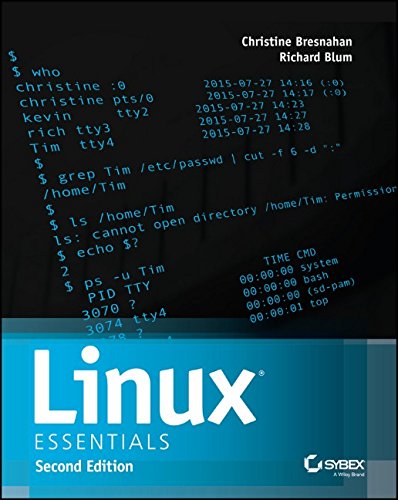
Linux Essentials 2nd Edition by Christine Bresnahan, Richard Blum ISBN 111909206X 978-1119092063
Original price was: $50.00.$35.00Current price is: $35.00.
Linux Essentials 2nd Edition by Christine Bresnahan, Richard Blum – Ebook PDF Instant Download/Delivery: 111909206X, 978-1119092063
Full download Linux Essentials 2nd Edition after payment
Product details:
ISBN 10: 111909206X
ISBN 13: 978-1119092063
Author: Christine Bresnahan, Richard Blum
Table of contents:
1 Selecting an Operating System
– What Is an OS?
– Investigating User Interfaces
– Where Does Linux Fit in the OS World?
– What Is a Distribution?
2 Understanding Software Licensing
– Investigating Software Licenses
– Looking at the Free Software Foundation
– Looking at the Open Source Initiative
– Looking at the Creative Commons
– Using Open Source Licenses
3 Investigating Linux’s Principles and Philosophy
– Exploring Linux through the Ages
– Using Open Source Software
– Understanding OS Roles
4 Using Common Linux Programs
– Using a Linux Desktop Environment
– Working with Productivity Software
– Using Server Programs
– Managing Programming Languages
– Handling Software Packages
5 Managing Hardware
– Learning about Your CPU
– Identifying Motherboard Capabilities
– Sizing Your Power Supply
– Understanding Disk Issues
– Managing Displays
– Handling USB Devices
– Managing Drivers
6 Getting to Know the Command Line
– Starting a Command Line
– Running Programs
– Using Shell Features
– Getting Help Using man Pages
– Getting Help Using info Pages
– Finding Additional Documentation
7 Managing Files
– Understanding Where Things Go
– Navigating Files and Directories
– Manipulating Files
– Manipulating Directories
8 Searching, Extracting, and Archiving Data
– Using Regular Expressions
– Searching for and Extracting Data
– Redirecting Input and Output
– Archiving Data
9 Exploring Processes and Process Data
– Understanding Package Management
– Understanding the Process Hierarchy
– Identifying Running Processes
– Using Log Files
10 Editing Files
– Understanding the Role of Text Files
– Choosing an Editor
– Launching an Editor
– Editing Files with pico or nano
– Editing Files with vi
11 Creating Scripts
– Beginning a Shell Script
– Using Commands
– Using Arguments
– Using Variables
– Using Conditional Expressions
– Using Loops
– Using Functions
– Setting the Script’s Exit Value
12 Understanding Basic Security
– Understanding Accounts
– Using Account Tools
– Working as root
13 Creating Users and Groups
– Creating New Accounts
– Modifying Accounts
– Deleting Accounts
– Managing Groups
14 Setting Ownership and Permissions
– Setting Ownership
– Setting Permissions
– Using Special Permission Bits and File Features
15 Managing Network Connections
– Understanding Network Features
– Configuring a Network Connection
– Testing Your Network Connection
– Protecting Your System from the Bad Guys
People also search for:
linux essentials
lpi linux essentials
ndg linux essentials
cisco linux essentials
lpi linux essentials practice test
Tags: Christine Bresnahan, Richard Blum, Linux Essentials