
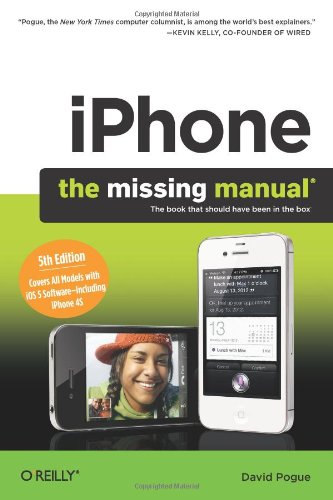
iPhone The Missing Manual 5th Edition by David Pogue ISBN 1449301770 978-1449301774


Original price was: $50.00.$35.00Current price is: $35.00.
iPhone The Missing Manual 5th Edition by David Pogue – Ebook PDF Instant Download/Delivery: 1449301770, 978-1449301774
Full download iPhone The Missing Manual 5th Edition after payment
Product details:
ISBN 10: 1449301770
ISBN 13: 978-1449301774
Author: David Pogue
With the iOS5 software and the new iPhone 4S device, Apple has another world-class hit on its hands. This sleek, highly refined pocket computer comes with everything—cellphone, iPod, Internet, camcorder—except a printed manual. Fortunately, David Pogue is back with the latest edition of his witty, crystal-clear, colorful guide: the world’s most popular iPhone book.
Use it as a phone. Learn the basics as well as time-saving tricks and tips for contact searching by voice, texting, and more.
Manage your stuff in the cloud. Sync and back up your contacts and media across all of your devices with iCloud.
Get things done. Ask Siri to send reminders, place calls, and more.
Master notifications. Use the Notification Center to find missed messages, calendar invitations, friend requests, and more.
Connect with other iPhone owners. Send unlimited iMessages to friends, family, and colleagues who are also running iOS5.
Treat it as an iPod. Master the ins and outs of iTunes, and listen to music, upload and view photos, and fill the iPhone with TV shows and movies.
Take the iPhone online. Make the most of your online experience to browse the Web, read and compose email, use social networks, or send photos and audio files.
Go beyond the iPhone. Learn how to use the App Store, and how to multitask between your apps, organize them in folders, and read ebooks in iBooks.
Whether you have a brand-new iPhone or want to update an earlier model with the iOS5 software, this beautiful full-color book is the best, most objective resource available.
Table of contents:
iPhone: The Missing Manual, Fifth Edition
The Missing Credits
Acknowledgments
The Missing Manual Series
Introduction
About the iPhone
About the Carriers
About This Book
About the Outline
About→These→Arrows
About MissingManuals.com
1. The iPhone as Phone
1. The Guided Tour
Sleep Switch (On/Off)
Locked Mode
The Lock Screen
Home Button
One Quick Press: Wake Up
One Long Press: Voice Control—or Siri
Two Quick Presses: Task Switcher
Two Quick Presses, Part 2: The Widget Bar
Three Presses: VoiceOver, Zoom, or White on Black
Screen
Screen Icons
Cameras and Flash
Sensors
Headphone Jack
Silencer Switch, Volume Keys
SIM Card Slot
iPhone 4S: The World Phone
Microphone, Speakerphone, Connector
Antenna Band
In the Box
Seven Basic Finger Techniques
Tap
Drag
Swipe
Flick
Pinch and Spread
Double-Tap
Two-Finger Tap
Charging the iPhone
Battery Life Tips
The Home Screen
Notifications
The Notification Center
Messages on the Lock Screen
2. Typing, Editing & Searching
The Keyboard
The Widescreen Keyboard
Making the Keyboard Work
Auto-Suggestions
The Spelling Checker
The Spelling Dictionary
Accented Characters
How to Type Punctuation with One Touch
Typing Shortcuts (Abbreviation Expanders)
International Typing
Connecting a Real Keyboard
Cut, Copy, Paste
Step 1: Select the Text
Step 2: Cut or Copy
Step 3: Paste
(Possible Step 4: Undo)
The Definitions Dictionary
Spotlight: Global Search
How to Open Spotlight
How to Search
How to Tweak Spotlight
3. Phone Calls & FaceTime
Dialing from the Phone App
The Favorites List
Reordering Favorites
Deleting from Favorites
The Recents List
The Contacts List
Adding to the Contacts List
Adding a Contact on the Fly
Editing Someone
Deleting Someone
Sharing a Contact
The Keypad
Answering Calls
Multitasking
Silencing the Ring
Not Answering Calls
Fun with Phone Calls
Mute
Keypad
Speaker
Add Call (Conference Calling)
FaceTime
Hold (iPhone 3GS)
Contacts
FaceTime
4. Speech Recognition—and Siri
Voice Control (iPhone 3GS, iPhone 4)
Dialing by Voice
Voice Control of Music
iPhone 4S: Speak to Type
Punctuation
iPhone 4S: Siri
What You Can Say
When Things Go Wrong
Siri’s Personality
Advanced Siri
Teaching Siri about Your Relationships
Post to Facebook or Twitter
Fix Siri’s Name Comprehension
Siri Settings
5. Voicemail, Texting & Other Phone Tricks
Visual Voicemail
Setup
Using Visual Voicemail
Dialing in for Messages
Text Messages (SMS)
Receiving a Text Message
The Text List
Sending a New Message
Text-Message Options
Picture, Audio, or Video Messages
Capturing Text-Message Goodies
iMessages
More Free Text Messages
Chat Programs
Call Waiting
Call Forwarding
Caller ID
Bluetooth Earpieces and Car Kits
Pairing with a Bluetooth Earpiece
Car Kits
Custom Ringtones
iTunes Ringtones
GarageBand Ringtones
Talking Buttons—and Accessibility
VoiceOver
Zooming
Large Text
White on Black
Speak Selection
Speak Auto-Text
Custom Vibrations
LED Flash
Mono Audio/Balance Slider
AssistiveTouch
Incoming Calls
Triple-Click Home
2. Pix, Flix & Apps
6. The iPhone as iPod
List Land
Playlists
Using Playlists
Creating Playlists on the Phone
Genius
The Genius Icon
Artists, Songs, Albums…
Other Lists
Customizing List Land
Cover Flow
The Now Playing Screen (Music)
Controlling Playback (Music)
Special Podcast/Audiobook Controls
Voice Control
Multi(music)tasking
Bluetooth Stereo Headphones
Familiar iPod Features
Shake to Shuffle
Sound Check
EQ (Equalization)
Volume Limit
Lyrics & Podcast Info
Group By Album Artist
The iTunes Store
Purchased Items
The Videos App
Zoom/Unzoom
TV Output
AirPlay
7. Taking Photos, Shooting Video
Taking Still Photos
Firing Up the Camera
Set the Focus and Exposure Point
Locking Focus and Exposure
The Flash
Zooming In
The “Rule of Thirds” Grid
High Dynamic Range (HDR)
Taking the Shot
Self-Portraits (the Front Camera)
Recording Video
The Front Camera
The Video Light
Editing Video
iMovie for iPhone
Uploading Your Video to YouTube, MMS, or Email
Capturing the Screen
Photo Stream
On the iPhone (or iPad or iPod Touch)
On the Mac or PC
On the Apple TV
Photo Stream Permanence—and Emergency Reset
Opening Photos
Faces and Places
Flicking, Rotating, Zooming, Panning
Deleting Photos
Photo Controls
Slideshows
Copying/Sending/Deleting in Batches
Editing Photos
The Rotate button ()
Auto-Enhance ()
Remove Red-Eye ()
Crop ()
Saving Your Changes
Printing Photos
Photo Wallpaper
Start in Settings
Start in the Photos App
Three Ways to Send Photos or Videos
Headshots for Contacts
Starting with the Photo
Starting with the Contact
Geotagging
8. All About Apps
Welcome to App Heaven
Two Ways to the App Store
Shopping from the Phone
The App Details Screen
Two Welcome Notes about Backups
Shopping in iTunes
Organizing Your Apps
Rearranging/Deleting Apps Using iTunes
Rearranging/Deleting Apps Right on the Phone
Restoring the Home Screen
Folders
Setting Up Folders in iTunes
Setting Up Folders on the iPhone
App Preferences
App Updates
How to Find Good Apps
Multitasking
The Task Switcher
AirPrint: Printing from the Phone
Troubleshooting Apps
9. The Built-In Apps
Calculator
Calendar
Working with Views
Making an Appointment (List, Day, Month View)
Making an Appointment (Day View, Week View)
Editing, Rescheduling, and Deleting Events (Long Way)
Editing and Rescheduling Events (Fun Way)
The Calendar (Category) Concept
Clock
World Clock
Alarm
Stopwatch
Timer
Compass
Find My Friends
Setting Up Stalking
Accepting an Invitation
Parental Controls
Using the Map
Labeling Locations
A Word about Email Addresses
Game Center
Getting Started
Points and Achievements
Making Friends
Finding Games
iBooks
Downloading Books
PDFs and ePub Files
Your Library
Reading
Notes, Bookmarks, Highlighting, Dictionary
Maps
Browsing the Maps
Location, Location, Location
Finding Yourself
Orienting the Map
Searching the Maps
Finding Friends and Businesses
Bookmarks and Recents
Directions
Traffic
Street View
Newsstand
Notes
Syncing Notes
Reminders
The Details Screen
Lists
Stocks
Landscape View
Customizing Your Portfolio
Voice Memos
Editing Your Recording
Weather
YouTube
Finding a Video to Play
Playing YouTube Videos
3. The iPhone Online
10. Getting Online
A Tale of Three Networks
Sequence of Connections
Silencing the “Want to Join?” Messages
The List of Hotspots
Commercial Hotspots
How to Turn Off 3G (AT&T iPhones)
Airplane Mode and WiFi Off Mode
Personal Hotspot (Tethering)
Turning On the Hotspot
Connecting via WiFi
Connecting via Bluetooth
Connecting via USB Cable
Once You’re Connected
Turning Off Personal Hotspot
Turning Personal Hotspot Back On
Twitter
11. The Web
Safari Tour
Zooming and Scrolling
The Address Bar
The Safari Keyboard
Bookmarks
Creating New Bookmarks
Editing Bookmarks and Folders
The Reading List
Web Clips
The History List
Erasing the History List
Tapping Links
Saving Graphics
AutoFill
Searching the Web
Manipulating Multiple Pages
Reader
Audio and Video on the Web
RSS: The Missing Manual
Web Security
Pop-Up Blocker
Cookies
Parental Controls
Web Applications
12. Email
Setting Up Your Account
Free Email Accounts
POP3 and IMAP Accounts
The “Two-Mailbox Problem”
Downloading Mail
The Unified Inbox
The Message List—and Threading
What to Do with a Message
Read It
Reply to It
Forward It
Flag It
Filing or Deleting One Message
Filing or Deleting Batches of Messages
Add the Sender to Contacts
Open an Attachment
Snagging a Graphic—Two Ways
View the Details
Move On
Searching
Writing Messages
Signatures
Surviving Email Overload
The Spam Problem
How Many Messages
Condensing the Message List
Spotting Worthwhile Messages
Managing Accounts
4. Connections
13. Syncing with iTunes
The iTunes Window: What’s Where
Five Ways to Get Music and Video
Let iTunes Find Your Existing Songs
Visit the iTunes Store
Import Music from a CD
Download Podcasts
Buy Audiobooks
Playlists
Editing and Deleting Playlists
Authorizing Computers
TV, Movies, and Movie Rentals
Automatic Syncing—with a Cable
Manual Syncing
12 Tabs to Glory
Info Tab (Contacts, Calendars, Settings)
Syncing Notes
Syncing Contacts
Syncing Bookmarks
Syncing Your Calendar
Syncing Email Settings
The Apps Tab
The Tones Tab
The Music Tab
Making It All Fit
The Movies and TV Shows Tabs
The Podcasts and iTunes U Tabs
The Books Tab
The Photos Tab (Computer→iPhone)
Syncing Photos and Videos (iPhone→Computer)
Shutting Down the Importing Process
One iPhone, Multiple Computers
One Computer, Multiple iPhones
One-Way Emergency Sync
WiFi Sync
Setting Up Wireless Sync
Syncing Over WiFi
Backing Up the iPhone
Using That Backup
Deleting a Backup File
14. iCloud
What iCloud Giveth
iCloud Sync
Photo Stream
Find My iPhone
Email
Video, Music, Apps: Locker in the Sky
iTunes Match
The Price of Free
15. The Corporate iPhone
The Perks
Setup
Life on the Corporate Network
Exchange + Your Stuff
Invitations
A Word on Troubleshooting
Virtual Private Networking (VPN)
VPN on Demand
16. Settings
Airplane Mode
WiFi
Carrier
Notifications
Location Services
Sounds
Brightness
Wallpaper
General
iCloud
Mail, Contacts, Calendars
Accounts
Fetch New Data
Mail
Contacts
Calendars
Reminders
Twitter
Phone
FaceTime
Safari
Messages
Music
Video
Photos
Notes
Store
App Preferences
5. Appendixes
A. Signup and Setup
Buying a New iPhone
A New iPhone: “PC-Free” Setup
Upgrading an Older iPhone to iOS 5
Software Updates
Install Updates from Your Computer
B. Accessorizing the iPhone
Proper Shopping for the iPhone
Protecting Your iPhone
Cases
Lens Attachment Cases
Screen Protectors
Making the iPhone Heard
Power to the iPhone
Health & Fitness
Snap-On Accessories
Video Output
iPod Accessories
C. Troubleshooting & Maintenance
First Rule: Install the Updates
Reset: Six Degrees of Desperation
What Else to Try
iPhone Doesn’t Turn On
Doesn’t Show Up in iTunes
Phone and Internet Problems
Email Problems
Messages Are Disappearing
Can’t Send Email
Problems that Aren’t Really Problems
iPod Problems
Warranty and Repair
Out-of-Warranty Repairs
The Battery Replacement Program
Where to Go from Here
People also search for:
iphone the missing manual 15th edition
iphone the missing manual 14th edition
iphone 14 missing manual
iphone missing manual
iphone user manual download
Tags:
David Pogue,The Missing Manual