
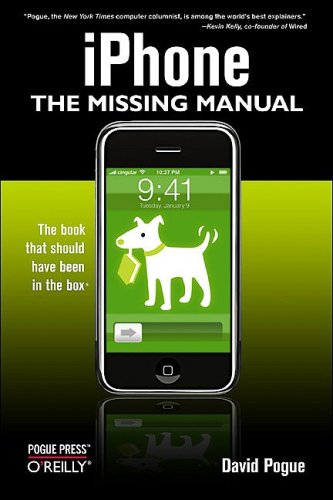
iPhone The Missing Manual 1st Edition by David Pogue ISBN 0596513747 9780596513740


Original price was: $50.00.$35.00Current price is: $35.00.
iPhone The Missing Manual 1st Edition by David Pogue – Ebook PDF Instant Download/Delivery: 0596513747, 9780596513740
Full download iPhone The Missing Manual 1st Edition after payment
Product details:
ISBN 10: 0596513747
ISBN 13: 9780596513740
Author: David Pogue
As you’d expect of Apple, the iPhone is gorgeous. iPhone: The Missing Manual is a book as breathtaking as its subject. Teeming with high-quality color graphics, each custom designed page helps you accomplish specific tasks — everything from Web browsing to watching videos. Written by New York Times columnist and Missing Manual series creator David Pogue, this book shows you how to get the most out of your new Apple iPhone. The name iPhone may be doing Apple a disservice. This machine is so packed with possibilities that the cellphone may actually be the least interesting part. The iPhone is at least three products merged into one: a phone, a wide-screen iPod and a wireless, touch-screen Internet communicator. The iPhone’s beauty alone may be enough for you to dig for your credit cards, but its Mac OS X-based software makes it not so much a smartphone as something out of the film “Minority Report.” The real magic, however, awaits when you browse the Web. You get to see the entire Web page on the iPhone’s screen. All of this is cooked up with Apple’s traditional secret sauce of simplicity, intelligence and whimsy. Written by New York Times columnist and Missing Manual series creator David Pogue, iPhone: The Missing Manual shows you everything they need to know to get the most out of your new Apple iPhone. Full of humor, tips, tricks, and surprises, this book teaches you how to extend iPhone’s usefulness by exploiting its links to the Web as well as its connection to Macs or PCs; how to save money using Internet-based messages instead of phone calls; and how to fill the iPhone with TV shows and DVDs for free.
iPhone The Missing Manual 1st Table of contents:
Part I: The Guided Tour
- Chapter 1: The Guided Tour
- Sleep Switch (On/Off) Locked Mode
- The Lock Screen
- Home Button
- Silencer Switch, Volume Keys
- Screen (Icons, Status Bar)
- Cameras and Flash (Front/Back)
- SIM Card Slot
- Headphone Jack
- The Charge/Sync Connector
- Antenna Band
- In the Box
- Seven Basic Finger Techniques (Tap, Swipe, Drag, Flick, Pinch and Spread, Double-Tap, Two-Finger Tap)
- Charging the iPhone
- Battery Life Tips
- The Home Screen
- Notifications (at the time, very basic)
- The Keyboard (Onscreen keyboard usage)
- Cut, Copy, Paste (This might have been a future wish-list item or a very basic workaround if available in OS 1.x)
- Spotlight: Global Search
Part II: Phone Calls, Voicemail, and Contacts
- Chapter 2: Phone Calls
- Dialing from the Phone App
- The Favorites List
- The Recents List
- Contacts (Adding, Editing, Deleting, Sharing)
- The Keypad
- Answering Calls
- Multitasking (very limited on original iPhone)
- Silencing the Ring / Not Answering Calls
- Conference Calling
- Chapter 3: Voicemail & Other Phone Tricks
- Visual Voicemail (A key feature of the original iPhone)
- Text Messages (SMS) (Sending/Receiving, limitations at the time)
- Call Waiting, Call Forwarding, Caller ID
- Bluetooth Earpieces & Car Kits
- Custom Ringtones (Likely involving workarounds, as direct ringtone creation wasn’t native)
Part III: Music, Video, and Photos (The iPod Functionality)
- Chapter 4: The iPod
- Syncing Music from iTunes
- Creating Playlists
- Playback Controls (Now Playing)
- Music Settings and Options
- Videos (Syncing, Playback)
- Podcasts and iTunes U
- Chapter 5: Photos and Camera
- Taking Still Photos (Basic camera functions of the original iPhone)
- Opening Photos
- Editing Photos (Very limited in 1st gen)
- Sharing Photos (Email only initially)
- Photo Streams (Not a feature of original iOS, but later concepts might be discussed)
Part IV: Getting Online: Safari, Mail, and Maps
- Chapter 6: Getting Online
- A Tale of Two Connections (Cellular vs. Wi-Fi)
- Connecting to Wi-Fi Hotspots
- Airplane Mode
- Personal Hotspot (Tethering) – This was NOT on the 1st gen iPhone initially, but might be discussed as a future possibility or jailbreak feature.
- Chapter 7: Safari: The Web Browser
- Safari Tour (Interface, Tabs – if available, early Browse features)
- Zooming and Scrolling
- Bookmarks, History List
- Searching the Web
- Web Security
- Chapter 8: Email
- Setting Up Email Accounts (POP, IMAP, early Exchange support)
- Reading, Composing, and Sending Email
- Managing Mailboxes
- Attachments
- Chapter 9: Maps
- Using Google Maps (Key mapping features)
- Finding Locations
- Directions (Driving directions)
- Satellite View
Part V: Built-In Apps and Customization
- Chapter 10: The Built-In Apps
- Calculator
- Calendar
- Clock (World Clock, Alarm, Stopwatch, Timer)
- Notes
- Stocks
- Weather
- YouTube (Pre-installed app for YouTube access)
- Chapter 11: Settings and Preferences
- General Settings (About, Usage, Date & Time, Keyboard, Restrictions, etc.)
- Wi-Fi Settings
- Carrier Settings
- Sound Settings
- Brightness & Wallpaper
- Passcode Lock
- Auto-Lock
- Accessibility Features (Limited initially)
- Chapter 12: Syncing with iTunes
- Automatic Syncing
- Syncing Music, Movies, Photos, Contacts, Calendars
- Backing Up the iPhone (To iTunes)
Part VI: Troubleshooting and the Future
- Chapter 13: Troubleshooting and Maintenance
- Common Problems and Solutions (Freezing, Wi-Fi issues, Battery life)
- Restoring the iPhone
- Updating iPhone Software
- Cleaning and Care
- Chapter 14: The iPhone and Beyond (Speculation on future features, the potential for an App Store, etc.)
People also search for iPhone The Missing Manual 1st:
iphone the missing manual
david pogue iphone the missing manual
apple iphone x manual pdf
iphone 11 user manual pdf
iphone 14 user manual pdf
Tags: David Pogue, iPhone, Manual