
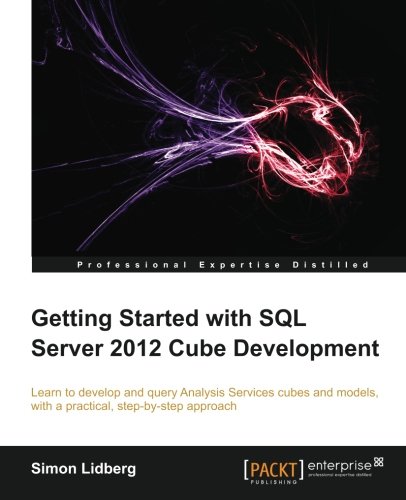
Getting started with SQL server 2012 cube development 1st Edition by Simon Lidberg ISBN 978-1849689502 1849689504

Original price was: $50.00.$35.00Current price is: $35.00.
Getting started with SQL server 2012 cube development 1st Edition by Simon Lidberg – Ebook PDF Instant Download/Delivery: 978-1849689502, 1849689504
Full download Getting started with SQL server 2012 cube development 1st Edition after payment
Product details:
ISBN 10: 1849689504
ISBN 13: 978-1849689502
Author: Simon Lidberg
Written specifically for SQL Server developers, this is a great primer on Analysis Services and cube development. With lots of practical exercises and real-world scenarios, you’ll be up and running in no time.
Overview
Learn how to develop a complete business intelligence solution using SQL Server 2012
Understand the difference between Tabular in-memory models and OLAP cubes, and which to use where and when
Add advanced features such as key performance indicators (KPIs) and calculated measures to your business intelligence model
Understand the use of cubes in a modern business intelligence solution
Go from a complete beginner to a developer who can build real-world projects through the use of easy step-by-step examples
In Detail
Analysis Services have been the number one OLAP engine for years. With the increased focus on business intelligence solutions, there is a shortage of professionals in this area. Start your journey into becoming a BI developer using the popular tools included in every SQL Server installation.
Getting Started with SQL Server 2012 Cube Development teaches you through clear step-by-step exercises to create business intelligence solutions using Analysis Services. The knowledge gained through these practical examples can immediately be applied to your real-world problems.
Getting Started with SQL Server 2012 Cube Development begins with an introduction to business intelligence and Analysis Services, the world’s most-used cube engine. Guiding you through easy-to-understand examples to become a cube developer.
Learn how to create a cube including all the advanced features such as KPIs, calculated measures, and time intelligence. Security and performance tuning will also be explored. You will learn how to perform and automate core tasks like deployment and processing. The main focus is on multidimensional cubes, but the creation of in-memory models will also be covered.
You will learn everything you need to get started with cube development using SQL Server 2012.
What you will learn from this book
Choose the correct model for solving your business problem
Set up Analysis Services and the development environment
Create user friendly dimensions and cubes
Automate cube processing and deployment
Query cubes using standard tools like Excel and Reporting Services
Add advanced functionality such as KPIs and calculations
Secure your business intelligence solutions
Performance tune your cube through the use of aggregations
Create tabular in-memory models
Understand business intelligence architecture
Approach
As a practical tutorial for Analysis Services, get started with developing cubes. “Getting Started with SQL Server 2012 Cube Development” walks you through the basics, working with SSAS to build cubes and get them up and running.
Who this book is written for
Written for SQL Server developers who have not previously worked with Analysis Services. It is assumed that you have experience with relational databases, but no prior knowledge of cube development is required. You need SQL Server 2012 in order to follow along with the exercises in this book.
Table of contents:
Preface
Chapter 1: Self-service Business Intelligence, Creating Value from Data
Identifying common user requirements for a BI system
Creating a flexible reporting solution
Getting user value through self-service reporting Summary
Chapter 2: Installing SSAS and Preparing for Cube Development
Understanding the BI semantic model architecture
Choosing the deployment mode
Actions
Aggregations
Custom assemblies
Custom rollups
Distinct count
Linked objects
Many-to-many relationships
Parent-child hierarchies
Translations
Writeback
Tool support
Installing Analysis Services 2012 in multidimensional mode
Hands-on steps for installing Analysis Services
Hands-on steps for attaching the sample database
Starting SQL Server Data Tools for the first time
Choosing the correct project
Hands-on steps for creating your first cube project
Navigating the project environment
Solution Explorer
Properties window
Build menu
Hands-on steps for configuring your cube project
Summary
Chapter 3: Creating Your First Multidimensional Cube
An introduction to data warehousing
Understanding data sources
Creating the data connection
Understanding the data source view
Creating a new data source view
Adding objects to the data source view
Extending the data source view
Understanding dimensions
Creating the Date dimension
Preparing the Date dimension for end users
Renaming attributes
Creating a hierarchy and attribute relationships
Processing the dimension to review the results
Creating the first cube
Creating the Fact Internet Sales cube
Creating additional dimensions and adding them to the cube
Summary
Chapter 4: Deploying and Processing Cubes
Deploying objects to Analysis Services
Deploying the FirstCube project to the server
Deploying projects using advanced deployment strategies
Processing objects in Analysis Services
Processing the FirstCube project
Using advanced processing options when processing cubes
Scheduling processing
Building a SSIS package to control processing
Troubleshooting processing errors
Partitioning cubes to speed up processing
Adding partitions to the FirstCube cube
Configuring storage modes in Analysis Services
MOLAP
ROLAP
HOLAP
Proactive caching
Adding a ROLAP dimension to the FirstCube cube
Summary
Chapter 5: Querying Your Cube
Understanding multidimensionality
Writing MDX queries using Management Studio
Connecting to the cube using Management Studio
Understanding the anatomy of an MDX query
The FROM clause
The WHERE clause
The query axis clause
Important query concepts
Unique names
Finding unique names of objects
Tuples
Sets
Calculated members
Named sets
Functions
Using Excel as the query tool against cubes
Connecting Excel to the FirstCube cube
Advanced Excel features
Named sets
Calculated measures
Calculated members
Using Reporting Services together with your cube
Summary
Chapter 6: Adding Functionality to Your Cube
Adding measures
Adding additional measure groups
Adding dimensions to the FirstCube project
Adding referenced dimensions
Adding many-to-many dimensions
Adding dimensions with parent-child hierarchies
Adding calculations to cubes
Simple calculated measures
Adding advanced calculated measures
Adding calculated members
Time and date calculations
Key Performance Indicators
Adding perspectives to simplify cube browsing
Adding translations to support global implementations
Extending the cube with custom actions
Building budget solutions using writeback
Summary
Chapter 7: Securing Your Cube Project
Understanding role-based security
Adding users to the fixed server role
Adding custom roles to the database
Securing objects in Analysis Services
Adding dimension security to the FirstCube project
Securing measures
Implementing data security
Testing data security
Enable Visual Totals to restrict what a user can see
Understanding security when a user belongs to several roles
Implementing dynamic data security
Summary
Chapter 8: Using Aggregations to Performance
Optimize a Cube
Understanding cube aggregations
Adding aggregations to improve performance
Running the aggregation wizard
Adding aggregations manually
Using usage-based optimization to optimize the cube
Summary
Chapter 9: In-memory, the Future
Understanding tabular models
Installing a tabular mode instance
Creating a tabular mode project
Defining the workspace server
Connecting to the data source
Adding tables to the data model
Adding data from other data sources
Working with partitions in tabular models
Creating calculations
Adding calculated columns to the tabular model
Creating calculated measures in the tabular model
Creating advanced calculations
Specifying other types of tables and columns
KPIs
Adding hierarchies
Sorting data based on other columns
Hiding columns and tables from the end users
Creating perspectives
Adding security to your in-memory model
Optimizing the tabular model for performance
Querying tabular models
Summary
Chapter 10: Cubes in the Larger Context
Using Microsoft frontend tools to query Analysis Services
Developer-focused tools
Using Reporting Services to query your cube
SharePoint PerformancePoint Services
Self-service tools
Using Excel as a self-service tool against Analysis Services cubes
Using Excel PowerPivot to allow user-created models
SharePoint Excel Services
Introducing Power View – an analytical tool
Third-party tools
Summary
People also search for:
getting started with sql developer
getting started with sqlite python
getting started with sql o’reilly
getting started with sql express
getting started with sql and bigquery
Tags: Simon Lidberg, Getting started, SQL server 2012