
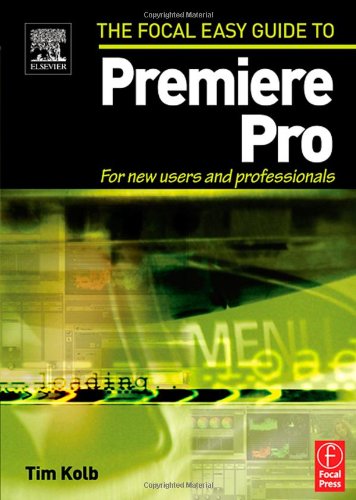
Focal Easy Guide to Premiere Pro For New Users and Professionals 1st Edition by Tim Kolb ISBN 0240805674 978-0240805672


Original price was: $50.00.$35.00Current price is: $35.00.
Focal Easy Guide to Premiere Pro For New Users and Professionals 1st Edition by Tim Kolb – Ebook PDF Instant Download/Delivery: 0240805674, 978-0240805672
Full download Focal Easy Guide to Premiere Pro For New Users and Professionals 1st Edition after payment
Product details:
ISBN 10: 0240805674
ISBN 13: 978-0240805672
Author: Tim Kolb
This highly illustrated, full color book tells you all you need to know to get up and running quickly using Adobe Premiere Pro to achieve professional results. It covers the essentials, so you can apply the knowledge to your project immediately.
All the important areas are covered: set up, the interface, editing, effects, integration with other Adobe products, and finishing.
An invaluable first read for users of all levels who want to achieve professional results.
Table of contents:
Set Up
-
Setting up the Hardware
-
Loading the Software
-
Project Setup
-
Preferences
-
Audio
-
Audio Hardware
-
Auto Save
-
Capture
-
Device Control
-
Label Colors
-
Label Defaults
-
Scratch Disks
-
Still Images
-
Titles
-
Trim
The Interface
-
Introduction to the Interface
-
Project Window
-
The Monitor Window
-
The Timeline Window
-
The Effects Window
-
The Effect Controls Window
-
The Audio Mixer Window
-
The Tool Palette
-
Tabbed Windows and Palettes
-
Arranging the Workspace
-
Creating a Custom Workspace
Capturing Media in Premiere Pro
-
Opening the Capture Window
-
Setting up Deck Control
-
Manual Capture
-
Capture In to Out Point
-
Batch Capture
-
Automatic Scene Detection
-
Importing Files
-
Organizing Your Media
-
Viewing Clips
-
Displaying and Sorting Items in the Project Window
-
Using the Project Window to Storyboard
-
Deleting an Item
-
Search Function
Monitors
-
Test Displays
-
“Ganging” a Reference Monitor to the Program Monitor
-
Loop
-
Audio Units
-
Quality Settings
-
Safe Areas
-
Dual View and Single View
-
Preparing a Clip in the Source Monitor
Editing
-
Targeting Tracks
-
Insert and Overlay Editing
-
Modifying In and Out Points on the Source Clip
-
Trimming Clips in the Sequence
-
Three-Point Editing
-
The Tool Palette
-
Cut, Copy, and Paste
-
Excluding and Locking Tracks
-
Linked and Unlinked Clips
-
Relinking Clips
-
Bringing Video and Audio Clips Back into Sync
-
Moving Edits in the Sequence
-
Slip and Slide Adjustments
-
Ripple and Roll Adjustments
-
The Trim Window
-
Split Edits
-
Selecting Multiple Items on the Timeline
-
Creating New Sequences
-
Slow and Fast Motion
-
Rendering
-
Freeze Frame
Effects
-
The Effects Window
-
The Effect Controls Window
-
The Motion and Opacity Fixed Effects
-
Applying Transitions
-
Creating a Default Transition
-
Applying and Removing Effects
-
Working with Keyframes
-
Customizing Keyframes
Adobe Title Designer
-
Creating a New Title Document
-
Working with Text
-
Typing on a Path
-
Pen Tools
-
Working with Graphic Elements
-
Object Styles
-
Font
-
Font Size
-
Aspect
-
Leading
-
Kerning
-
Tracking
-
Baseline Shift
-
Slant
-
Small Caps
-
Underline
-
Distort
-
Fill
-
Strokes
-
Shadow
-
Transform
-
Type Styles
-
Saving Object Styles
-
Style Libraries
-
Rolls and Crawls
-
Working with Templates
Working with Audio
-
Track-Based vs. Clip-Based Effects
-
The All-New Audio Mixer
-
Channel Panning
-
Automating Changes in the Audio Mixer
-
Applying an Effect to a Track
-
Submixes
-
Track Display in the Timeline Window
-
Adjusting Clip Audio Levels
-
Applying a Clip Audio Effect
-
Fading and Crossfading
Content and Program Output
-
Preparing a Program for Mastering
-
Export to Tape
-
Manual Recording
-
Export to DVD
-
Adobe Media Encoder
-
Exporting Media
-
Exporting a Movie
-
Exporting a Frame
-
Exporting Audio
Interacting with Other Adobe Software
-
Working with Adobe Photoshop
-
Import
-
Export
-
Working with Adobe After Effects
People also search for:
focal easya review
basic audio editing premiere pro
premiere pro for beginners 2022
focal pro audio
beginner’s guide to adobe premiere pro 2022
Tags: Tim Kolb, Focal Easy Guide, New Users