
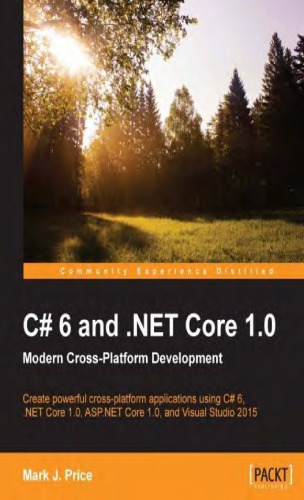
C 6 and NET Core 1 0 Modern Cross Platform Development 1st Edition by Mark Price ISBN 978-1785285691 1785285696
Original price was: $50.00.$35.00Current price is: $35.00.
C 6 and NET Core 1 0 Modern Cross Platform Development 1st Edition by Mark J. Price – Ebook PDF Instant Download/Delivery: 978-1785285691, 1785285696
Full download C 6 and NET Core 1 0 Modern Cross Platform Development 1st Edition after payment
Product details:
ISBN 10: 1785285696
ISBN 13: 978-1785285691
Author: Mark J. Price
The book has now been updated About This Book – Build modern, cross-platform applications with .NET Core 1.0 – Get up-to-speed with C#, and up-to-date with all the latest features of C# 6 – Start creating professional web applications with ASP.NET Core 1.0 Who This Book Is For Are you struggling to get started with C#? Or maybe you’re interested in the potential of the new cross-platform features that .NET Core can offer? If so, C# 6 and .NET Core 1.0 is the book for you. While you don’t need to know any of the latest features of C# or .NET to get started, it would be beneficial if you have some programming experience. What You Will Learn – Build cross-platform applications using C# 6 and .NET Core 1.0 – Explore ASP.NET Core 1.0 and learn how to create professional web applications – Improve your application’s performance using multitasking – Use Entity Framework Core 1.0 and learn how to build Code-First databases – Master object-oriented programming with C# to increase code reuse and efficiency – Familiarize yourself with cross-device app development using the Universal Windows Platform and XAML – Query and manipulate data using LINQ – Protect your data by using encryption and hashing In Detail With the release of .NET Core 1.0, you can now create applications for Mac OS X and Linux, as well as Windows, using the development tools you know and love. C# 6 and .NET Core 1.0 has been divided into three high-impact sections to help start putting these new features to work. First, we’ll run you through the basics of C#, as well as object-orient programming, before taking a quick tour through the latest features of C# 6 such as string interpolation for easier variable value output, exception filtering, and how to perform static class imports. We’ll also cover both the full-feature, mature .NET Framework and the new, cross-platform .NET Core. After quickly taking you through C# and how .NET works, we’ll dive into the internals of the .NET class libraries, covering topics such as performance, monitoring, debugging, internationalization, serialization, and encryption. We’ll look at Entity Framework Core 1.0 and how to develop Code-First entity data models, as well as how to use LINQ to query and manipulate that data. The final section will demonstrate the major types of applications that you can build and deploy cross-device and cross-platform. In this section, we’ll cover Universal Windows Platform (UWP) apps, web applications, and web services. Lastly, we’ll help you build a complete application that can be hosted on all of today’s most popular platforms, including Linux and Docker. By the end of the book, you’ll be armed with all the knowledge you need to build modern, cross-platform applications using C# and .NET Core. Style and approach This book takes a step-by-step approach and is filled with exciting projects and fascinating theory. It uses three high-impact sections to equip you with all the tools you’ll need to build modern, cross-platform applications using C# and .NET Core.
Table of contents:
C# 6 and .NET Core 1.0
Credits
About the Author
About the Reviewers
www.PacktPub.com
eBooks, discount offers, and more
Why subscribe?
Preface
What this book covers
What you need for this book
Who this book is for
Conventions
Reader feedback
Customer support
Downloading the example code
Errata
Piracy
Questions
1. Hello, C#! Welcome, NET Core!
Setting up your development environment
Using alternative C# IDES
Using Visual Studio 2015 on Windows 10
Installing Microsoft Visual Studio 2015
Choosing the default installation
Choosing the custom installation
Completing the installation
Signing in to Visual Studio
Choosing development settings
Updating extensions and products
Using older versions of Visual Studio
Understanding .NET Framework, .NET Core, and .NET Native
Understanding .NET Framework platform
Understanding the Mono project
Understanding the .NET Core platform
Streamlining.NET
The future of NET
Understanding the NET Native platform
Comparing NET technologies
Writing and compiling code using the Developer Command Prompt
Writing code using Notepad
Compiling code using the Developer Command Prompt
Fixing compiler errors
Decompiling code using ILDASM
Disassembling compiled assemblies
Writing and compiling code using Microsoft Visual Studio 2015
Compiling code using Visual Studio
Fixing mistakes with the error list
Experimenting with C# Interactive
Other useful windows
Targeting the.NET Core
Understanding the.NET Portability Analyzer
Installing the.NET Portability Analyzer
Configuring the .NET Portability Analyzer
Analyzing a solution
NET Portability and this book
Creating new projects for the .NET Core
Managing .NET Core development with Command Line Tools
Installing the .NET Command Line Tools
Creating a .NET Core application using Command Line Tools
Creating a .NET Core application using Visual Studio 2015
Managing source code with GitHub
Using the Team Explorer window
Cloning a GitHub repository
Managing a GitHub repository
Practicing and exploring
Exercise 1.1 – test your knowledge
Exercise 1.2 – practice managing Visual Studio Windows
Exercise 1.3-practice coding anywhere
Exercise 1.4-explore topics
Summary
2. Speaking C#
Understanding C# basics
The C# grammar
Statements
Blocks
The C# vocabulary
Writing the code
Verbs are methods
Nouns are types, fields, and variables
Counting types and methods
Declaring variables
Naming variables
Storing text
Storing numbers
Storing whole numbers
Storing real numbers
Sizes of numbers in memory
Comparing double and decimal
Storing Booleans
The object type
The dynamic type
Local variables
Design patterns
Practice and explore
Exercise 3.1 – test your knowledge
Exercise 3.2 explore loops and overflow
Exercise 3.3-practice loops and operators
Exercise 3.4 – practice exception handling
Exercise 3.5 explore topics
Summary
4. Using Common.NET Types
Using assemblies and namespaces
Comparing .NET Framework with .NET Core
Base Class Libraries and CoreFX
Assemblies
Namespaces
Referencing an assembly
Referencing Microsoft Core Library
An example of assembly references
Relating assemblies and namespaces
Importing a namespace
Browsing assemblies and namespaces
Relating C# keywords to .NET types
Storing and manipulating text
Getting the length of a string
Getting the characters of a string
Splitting a string
Extracting part of a string
Checking a string for content
Other string members
Building strings efficiently
Validating input with regular expressions
The syntax of a regular expression
Examples of regular expressions
Storing data with collections
Understanding collections
Lists
Dictionaries
Stacks
Queues
Sets
Working with lists
Working with dictionaries
Sorting collections
Avoiding old collections
Using specialized collections
Practicing and exploring
Exercise 4.1 – test your knowledge
Exercise 4.2 – practice regular expressions
Exercise 4.3 explore topics
Summary
5. Using Specialized .NET Types
Debugging and diagnostics
Debugging an application
Setting a breakpoint
The debugging toolbar
Debugging windows
Stepping through code
Customizing breakpoints
Monitoring performance and resource usage
Evaluating the efficiency of types
Monitoring performance and memory use
Measuring the efficiency of processing strings
Monitoring with Debug and Trace
Writing to the default trace listener
Configuring trace listeners
Configuring compiler symbols for .NET Framework
Defining compiler symbols for .NET Core
Checking compiler symbols
Switching trace levels
Unit testing an application
Creating a unit of code that needs testing
Creating a unit test project
Running unit tests
Internationalizing an application
Globalizing an application
Localizing an application
Interoperating with unmanaged code
Automating Microsoft Excel using COM Interop
Accessing the Win32 API with P/Invoke
Practicing and exploring
Exercise 5.1 – test your knowledge
Exercise 5.2 – practice using Debug and Trace
Exercise 5.3 explore topics
Summary
6. Building Your Own Types with Object-Oriented Programming
Talking about OOP
Building class libraries
Creating a class library to share code
Defining a class
Instantiating a class
Storing data with fields
Defining fields
Storing a value using the enum keyword
Storing multiple values using collections
Making a field static
Making a field constant
Making a field read only
Initializing fields with constructors
Writing and calling methods
Overloading methods
Optional parameters and named arguments
Splitting classes using partial
Controlling access with properties and indexers
Defining read-only properties
Defining settable properties
Defining indexers
Simplifying methods with operators
Raising and handling events
Calling methods using delegates
Defining events
Practicing and exploring
Exercise 6.1 – test your knowledge
Exercise 6.2 – practice writing mathematical methods
Exercise 6.3 explore topics
Summary
7. Implementing Interfaces and Inheriting Classes
Implementing interfaces
Common interfaces
Comparing objects when sorting
Defining a separate comparer
Managing memory with reference and value types
Defining a type using the struct keyword
Releasing unmanaged resources
Ensuring that dispose is called
Inheriting from classes
Extending classes
Hiding members
Overriding members
Preventing inheritance and overriding
Polymorphism
Casting within inheritance hierarchies
Implicit casting
Explicit casting
Handling casting exceptions
Documenting your types
Inheriting and extending NET types
Inheriting from the Exception class
Extending types when you can’t inherit
Using static methods to reuse functionality
Using extension methods to reuse functionality
Practice and explore
Exercise 7.1 – test your knowledge
Exercise 7.2-practice creating an inheritance hierarchy
Exercise 7.3 explore topics
Summary
8. Working with Relational Data Using the Entity Framework
Relational Database Management Systems
Connecting to Microsoft SQL Server LocalDb
The Northwind sample database
Choosing a NET data provider
Using ADO.NET
Connecting to the database
Executing commands and reading result sets
Loading a connection string from configuration
Using Entity Framework 6
Building an Entity Framework 6 model
Entity Framework Code First models
EF Code First conventions
EF annotation attributes
EF Fluent API
Querying an Entity Data Model
Logging SQL statements
Manipulating data with Entity Data Models
Inserting entities
Updating entities
Transactions
Defining an explicit transaction
Loading patterns with EF
Lazy loading entities
Eager loading entities
Explicit loading entities
Using Entity Framework Core
Practicing and exploring
Exercise 8.1-test your knowledge
Exercise 8.2 explore the EF Core documentation
Exercise 8.3-explore topics
Summary
9. Querying and Manipulating Data with LINQ
Writing LINQ queries
Extending sequences with the Enumerable class
Filtering entities with Where
Targeting a named method
Simplifying the code by removing the explicit delegate instantiation
Targeting a lambda expression
Sorting sequences with OrderBy
Sorting by multiple properties with the Then By method
Working with sets
Projecting entities with Select statement
Joining and grouping
Sweetening the syntax with syntactic sugar
Using multiple threads with Parallel LINQ
Creating your own LINQ extension methods
Working with LINQ to XML
Generating XML using LINQ to XML
Reading XML by using LINQ to XML
Practicing and exploring
Exercise 9.1 – test your knowledge
Exercise 9.2 – practice querying with LINQ
Exercise 9.3-explore topics
Summary
10. Working with Files, Streams, and Serialization
Managing the filesystem
Managing directories
Managing files
Managing paths
Getting file information
Reading and writing with streams
Writing to text and XML streams
Compressing streams
Encoding text
Encoding strings as byte arrays
Encoding and decoding text in files
Serializing object graphs
Serializing with XML
Deserializing with XML
Customizing the XML
Serializing with JSON
Serializing with other formats
Serializing with runtime serializers
Practice and explore
Exercise 10.1 – test your knowledge
Exercise 10.2 – practice serializing as XML
Exercise 10.3 – explore serialization formats
Exercise 10.4-explore Microsoft’s System.IO types
Exercise 10.5 – explore topics
Summary
11. Protecting Your Data and Applications
Understanding the vocabulary of protection
Keys and key sizes
IVs and block sizes
Salts
Generating keys and IVs
Encrypting and decrypting data
Encrypting symmetrically with AES
Hashing data
Hashing with SHA256
Signing data
Signing with SHA256 and RSA
Authenticating and authorizing users
Managing local accounts
Authenticating with Windows
Authorizing with Windows
Practicing and exploring
Exercise 11.1 – test your knowledge
Exercise 11.2-practice protecting data with encryption and hashing
Exercise 11.3-practice protecting data with decryption
Exercise 11.4-explore topics
Summary
12. Improving Performance and Scalability with Multitasking
Understanding processes and threads
Running tasks asynchronously
Running multiple actions synchronously
Ruming multiple actions asynchronously using tasks
Waiting for tasks
Continuing with another task
Nested and child tasks
The async and await keywords
Creating a GUI that blocks
Creating a GUI that doesn’t block
Other types with Async methods
await in catch blocks
Improving scalability for client-server applications
Synchronizing access to shared resources
Accessing a resource from multiple threads
Applying a mutually exclusive lock to a resource
Understanding the lock statement
Making operations atomic
Applying other types of synchronization
Practicing and exploring
Exercise 12.1-test your knowledge
Exercise 12.2-explore topics
Summary
13. Building Universal Windows Platform Apps Using XAML
Understanding the UWP
Adapting your app’s layout
Taking advantage of unique device capabilities
Understanding XAML
Simplifying code using XAML
Creating a Windows desktop application using WPF
Choosing common controls
Creating an app for the Universal Windows Platform
Analyzing UWP portability
Using resources and templates
Sharing resources
Replacing a control template
Data binding
Binding to elements
Binding to data
Animating with storyboards
Testing in emulators
Practicing and exploring
Exercise 13.1- test your knowledge
Exercise 13.2-practice building a universal tip calculator
Exercise 13.3 explore topics
Summary
14. Building Web Applications and Services Using ASP.NET Core
Understanding ASP.NET Core
Classic ASP.NET versus modern ASP.NET Core
Client-side web development
Install Web Essentials 2015
The Hyper Text Transfer Protocol (HTTP)
Create a web application project
Exploring the parts of an ASP.NET Core web application
ASP.NET Core startup
Understanding the default route
ASP.NET Core controllers
Defining the Home controller’s actions
ASP.NET Core models
Create Entity models for Northwind
Configure Entity Framework Core as a service
Create view models for requests
Fetch the model in the controller
ASP.NET Core views
Rendering the Home controller’s views
Sharing layouts between views
Defining custom styles
Defining a typed view
Taking ASP.NET Core further
Passing parameters using a route value
Passing parameters using a query string
Annotating models
ASP.NET Core Web API
Scaffolding an API controller
Calling a Web API service from a UWP app
Practicing and exploring
Exercise 14.1 – test your knowledge
Exercise 14.2 – practice building a data-driven web application
Exercise 14.3- explore topics
Summary
15. Taking C# Cross-Platform
Understanding cross-platform development
Visual Studio Code
.NET Core 1.0
ASP.NET Core 1.0
Entity Framework Core 1.0
NET Native
Xamarin
Cross-device Universal Windows Platform (UWP)
Installing Visual Studio Code and ASP.NET Core
Installing Visual Studio Code
Managing development from the terminal
Installing Homebrew
Installing ASP.NET Core and the .NET Version Manager
Listing the installed versions of.NET
Switching from Mono to .NET Core
Building a console application
Creating the source files
Editing the code
Downloading dependency packages and compiling
Building cross-platform web applications using ASP.NET Core
Creating the simplest ASP.NET Core web application
Installing Yeoman and related tools
Scaffolding projects using Yeoman
Editing projects using Visual Studio Code
Understanding the.NET Core command-line tools
Understanding the DNX tools
Understanding the CLI tools
Common DNX commands
Common CLI commands
Practicing and exploring
Exercise 15.1 – test your knowledge
Exercise 15.2-practice transferring an existing ASP.NET application
Exercise 15.3-explore topics
Summary
16. Building a Quiz
Designing the quiz application
Choosing the platform
Deciding the functional requirements
Separating concerns
Building the quiz solution
Defining the entity models
Creating the data repository
Creating the web application
Defining view models
Adding sample quiz questions
Configuring session state
Adding custom controller actions
Adding custom views
Running the quiz
Configuring the project to use Kestrel and .NET Core
Hosting ASP.NET Core web apps in Microsoft Azure
Register an Azure account
Create an Azure web app
Publishing an ASP.NET web application to the Web App
Practicing and exploring
Exercise 16.1 test your knowledge
Exercise 16.2-practice by extending the quiz web app
Exercise 16.3 explore topics
Summary
A. Answers to the Test Your Knowledge Questions
Chapter 1 – Hello, C#! Welcome, .NET Core!
Chapter 2 – Speaking C#
Chapter 3-Controlling the Flow, Converting Types, and Handling Exceptions
Exercise 3.2
Chapter 4- Using Common.NET Types
Chapter 5-Using Specialized.NET Types
Chapter 6-Building Your Own Types with Object-Oriented Programming
Chapter 7 – Implementing Interfaces and Inheriting Classes
Chapter 8 – Working with Relational Data Using the Entity Framework
Chapter 9 – Querying and Manipulating Data with LINQ
Chapter 10-Working with Files, Streams, and Serialization
Chapter 11-Protecting Your Data and Applications
Chapter 12-Improving Performance and Scalability with Multitasking
Chapter 13 – Building Universal Windows Platform Apps Using XAML
Chapter 14-Building Web Applications and Services Using ASP.NET Core
Chapter 15-Taking C# Cross-Platform
Chapter 16-Building a Quiz
B. Creating a Virtual Machine for Your Development Environment
Signing up for a Microsoft account
Creating a Microsoft Azure subscription
Managing your Microsoft Azure account
Creating a virtual machine
Connecting to your virtual machine using remote desktop
Supporting other platforms
Summary
Index
People also search for:
net core cross-platform development
.net 6 and c# 10
.net 6 cross compile
.net 6 and .net core 3.1
introducing .net 6