
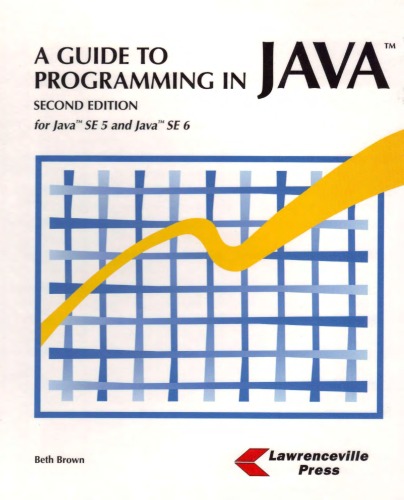
A Guide to Programming in Java 2nd Edition by Beth Brown ISBN 978-1580031219 1580031218


Original price was: $50.00.$35.00Current price is: $35.00.
A Guide to Programming in Java 2nd Edition by Beth Brown – Ebook PDF Instant Download/Delivery: 978-1580031219, 1580031218
Full download A Guide to Programming in Java 2nd Edition after payment
Product details:
ISBN 10: 1580031218
ISBN 13: 978-1580031219
Author: Beth Brown
A Guide to Programming in Java assumes little or no previous programming experience, making it ideal for an introductory programming course. It also includes complete coverage of the Advanced Placement Computer Science A topics. A Guide to Programming in Java emphasizes good problem-solving and programming skills in a clear, easy-to-understand format. Object-oriented programming is taught from the very start of the text. Throughout the text are many demonstration programs complete with runs that show program outputs. Numerous review problems, critical-thinking questions, and exercises with a wide range of difficulty are provided in each chapter. Topics covered in A Guide to Programming in Java include: Hardware and software, networking, and social and ethical issues Applets and Web programming Algorithms, pseudocode, and exception handling Control structures Strings, arrays, and generics Classes and interfaces GUI programming Data structures, searching, and sorting
Table of contents:
Chapter 1 – An Introduction to Computers
After completing Chapter 1, students will be able to:
1. Compare and contrast various input, output, and storage devices.
2. Identify hardware components and explain their function.
3. Demonstrate knowledge of operating systems.
4. Discuss different computer classifications and compatibility issues.
5. Differentiate among the levels of programming languages.
6. Describe communication and networking components.
7. Understand the binary number system.
8. Describe how data is stored in memory and in files.
9. Use Internet services to access information and share resources.
10. Demonstrate proper etiquette and knowledge of acceptable use policies when using a network.
11. Discuss social and ethical issues associated with computer use.
Chapter 2 – Applets and Web Programming
After completing Chapter 2, students will be able to:
1. Define terminology associated with the World Wide Web.
2. Discuss the impact of programming on the World Wide Web community.
3. Create HTML documents.
4. Explain how a web browser interprets an HTML document.
5. Use JavaScript to demonstrate how scripts can enhance a website.
6. Create simple Java applets.
7. Specify custom values for a Java applet that has been placed in an HTML document.
Chapter 3 – Introducing Java
After completing Chapter 3, students will be able to:
1. Define terminology associated with object-oriented programming.
2. Explain why Java is a widely used programming language.
3. Create Java applications.
4. Describe the process involved in executing a Java application.
5. Display and format program output.
6. Annotate code properly with comments, formatting, and indentation.
7. Explain the importance of using code conventions.
8. Demonstrate algorithm design as a problem-solving strategy.
9. Use visual organizers to design solutions.
Chapter 4 – Variables and Constants
After completing Chapter 4, students will be able to:
1. Declare and initialize variables and constants using the appropriate data type.
2. Choose legal identifiers that follow good programming style.
3. Differentiate between primitive and abstract data types.
4. Explain how to access Java packages.
5. Demonstrate how to read data from an input stream.
6. Write numeric expressions.
7. Apply type casting.
8. Format numeric output.
9. Identify Java keywords.
10. Differentiate between syntax and logic errors.
11. Understand run-time exceptions.
12. Read and understand a problem description, purpose, and goals.
8. Apply a style sheet to an HTML document.
Chapter 5 – Conditional Control Structures
After completing Chapter 5, students will be able to:
1. Demonstrate the use of decision structures to control the flow of a program.
2. Describe how a roundoff error can occur.
3. Generate random numbers.
4. Write compound Boolean expressions.
5. Access methods in the Math class.
6. Modify existing code.
7. Develop code with correct and efficient use of conditional control structures.
8. Select appropriate test data.
9. Create and modify solutions to problems.
Chapter 6 – Loop Structures and Strings
After completing Chapter 6, students will be able to:
1. Demonstrate the use of repetition control structures.
2. Explain how infinite loops can occur.
3. Differentiate between counters and accumulators.
4. Use various tools and techniques to debug an application.
5. Manipulate and compare strings using the String class and its methods.
6. Develop code with correct and efficient use of repetitive control structures.
7. Apply problem solving strategies.
Chapter 7 – Chapter Methods
After completing Chapter 7, students
will be able to:
1. Use top-down development and procedural abstraction to develop problem solutions.
2. Write methods.
3. Use method parameters.
4. Demonstrate the use of method overloading.
5. Return values from a method.
6. Write appropriate method documentation, including pre- and post-conditions.
7. Identify boundary cases and generate appropriate test data.
8. Describe code conventions that apply to methods.
Chapter 8 – Classes and Object-Oriented Development
After completing Chapter 8, students will be able to:
1. Understand and instantiate objects.
2. Design and implement a class.
3. Apply functional decomposition.
4. Apply appropriate naming conventions to a class.
5. Explain the difference between accessor, modifier, and helper methods.
6. Write constructors.
7. Compare and contrast instance and class members.
8. Understand class specifications and the relationships among the classes.
9. Understand and implement a given class hierarchy.
10. Apply encapsulation.
11. Identify reusable code from existing code.
Chapter 9 – Inheritance and Polymorphism
After completing Chapter 9, students will be able to:
1. Extend a class using inheritance.
2. Explain an is-a relationship.
3. Implement a subclass.
4. Define and demonstrate polymorphism.
5. Understand abstract classes.
6. Declare and implement an interface.
7. Extend existing code using inheritance.
Chapter 10 – Arrays
will be able to: After completing Chapter 10, students
1. Describe types of problems that benefit from the use of arrays.
2. Create one and two dimensional arrays.
3. Include array parameters in a method declaration.
4. Understand how to implement arrays with meaningful indexes.
5. Apply offset array indexes.
6. Manipulate characters in a string.
7. Understand the digital code, Unicode.
8. Apply search algorithms to an array.
9. Use methods in the ArrayList class.
10. Demonstrate the use of the Wrapper classes.
Chapter 11 – GUIS and Event-Driven Programming
After completing Chapter 11, students will be able to:
1. Design graphical user interfaces.
2. Use component classes in the Java swing package.
3. Create event-driven applications.
4. Control the layout of an interface using layout managers.
5. Use text fields and combo boxes to obtain user input.
6. Apply color and add images to an interface.
Chapter 12 – Files and Exception Handling
After completing Chapter 12, students
will be able to:
1. Use the File class to create objects that represent a file.
2. Write exception handlers.
3. Understand file streams.
4. Read the contents of an existing file.
5. Process numeric data.
6. Create an output file stream.
7. Explain the object serialization and deserialization processes.
Chapter 13 – Recursion and Advanced Algorithms
After completing Chapter 13, students
will be able to:
1. Implement the selection sort algorithms.
2. Sort objects using the Comparable interface.
3. Implement the insertion sort algorithm.
4. Define and demonstrate recursion.
5. Implement the mergesort algorithm.
6. Implement the binary search algorithm.
7. Explain the recursive technique, depth-first searching.
8. Analyze algorithms for efficiency.
9. Design and document sequential search algorithms.
Chapter 14 – Data Structures
After completing Chapter 14, students will be able toc
1. Explain how data structures, such as stacks and queues, can be used to organize data.
2. Use and implement well known data structures.
3. Describe standard operations associated with data structures.
4. Choose appropriate data structures.
5. Differentiate between a LIFO and FIFO structure.
People also search for:
a complete guide to programming in c++
a complete guide to programming in c++ pdf
a guide to competitive programming
a beginners guide to python 3 programming
a complete guide to programming in c++ pdf download
Tags: Beth Brown, A Guide, Programming in Java