
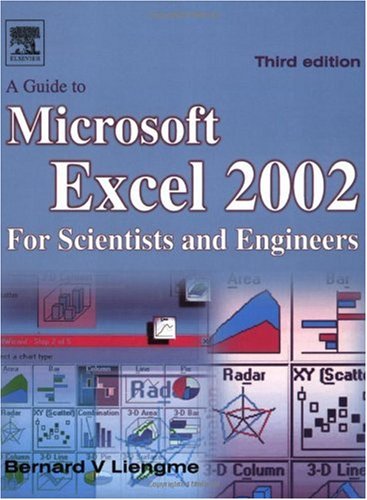
A Guide to Microsoft Excel 2002 for Scientists and Engineers 3rd Edition by Bernard Liengme ISBN 978-0750656139 0750656131

Original price was: $50.00.$35.00Current price is: $35.00.
A Guide to Microsoft Excel 2002 for Scientists and Engineers 3rd Edition by Bernard Liengme – Ebook PDF Instant Download/Delivery: 978-0750656139, 0750656131
Full download A Guide to Microsoft Excel 2002 for Scientists and Engineers 3rd Edition after payment
Product details:
ISBN 10: 0750656131
ISBN 13: 978-0750656139
Author: Bernard Liengme
The new edition has been brought fully up to date with the new Microsoft Office XP release of Excel 2002 but can be used alongside any previous version of Excel, with new Excel 2002 features clearly indicated throughout.
* Content written specifically for the requirements of science and engineering students and professionals working with Microsoft Excel, brought fully up to date with the new Microsoft Office XP release of Excel 2002.* Features of Excel 2002 are illustrated through a wide variety of examples based in technical contexts, demonstrating the use of the program for analysis and presentation of experimental results.* Can be used alongside any previous version of Excel, with new Excel 2002 features clearly indicated throughout.
Table of contents:
1 The Microsoft Excel Window
Concepts
Exercise 1: Anatomy of the Window
Exercise 2: The Workspace
Exercise 3: The Menu Bar
Exercise 4: The Toolbars
Exercise 5: Customizing Menus and Toolbars
Exercise 6: Getting Help
Problems
2 Basic Operations
Concepts
Exercise 1: Filling in a Series of Numbers
Exercise 2: Entering and Copying a Formula
Notes on Copying Formulas
Exercise 3: Formatting the Results
Notes on Precision and Formatting
Exercise 4: Displayed and Stored Values
Exercise 5: Formats Get Copied
Exercise 6: Too Many Digits
Exercise 7: Calculation Example
Exercise 8: Entering Formulas by Pointing
Exercise 9: References: Relative, Absolute and Mixed
Exercise 10: Editing and Formatting
Exercise 11: What’s in a Name?
Exercise 12: Custom Formats
Exercise 13: Symbols and Such
Exercise 14: Fractions
Natural Language Formulas
Problems
3 Printing a Worksheet
Concepts
Exercise 1: A Quick Way to Print
Exercise 2: Another Way to Print
Exercise 3: Page Setup
Exercise 4: Changing Margins
Exercise 5: Header and Footer
Documenting Worksheets
Exercise 6: Gridlines and Row/Column Headings
Exercise 7: Setting the Print Area
Exercise 8: Printing Titles
Exercise 9: Forcing Page Breaks
Exercise 10: Viewing and Printing Formulas
Summary of Print Commands
4 Using Functions
Concepts
Exercise 1: AutoSum and AutoCalculate
Exercise 2: Insert Function
Exercise 3: Entering a Function Directly
Exercise 4: Mixed Numeric and Text Values
Exercise 5: Trigonometric Functions
Exercise 6: Exponential Functions
Exercise 7: Rounding Function
Exercise 8: Array Functions
Some Other Mathematical Functions
Working with Time
Problems
5 Decision Functions
Concepts
The IF and the Logical Functions
Exercise 1: A What-if Analysis
Exercise 2: Avoiding Division by Zero
Exercise 3: Quadratic Equation Solver
Exercise 4: Protecting the Worksheet
Exercise 5: Imaginary Roots
Exercise 6: Logical Functions
Table Lookup Functions
Exercise 7: Horizontal Lookup
Exercise 8: Vertical Lookup
Exercise 9: Conditional Summing and Counting
Exercise 10: Array Formulas
Problems
6 Charts
Concepts
Types of Charts
Line and XY (Scatter) Charts
Embedded Charts and Chartsheets
Anatomy of a Chart
Smoothing Option
Exercise 1: Creating an XY Chart
Exercise 2: Modifying a Chart
Exercise 3: Line Chart with Two Data Series
Exercise 4: XY Chart with Two Y-Axes
Exercise 5: Combination Chart
Exercise 6: Chart with Error Bars
Exercise 7: Changing Axis Crossings
Exercise 8: Blank Cells in a Data Series
Exercise 9: Selecting Non-adjacent Data
Exercise 10: A Chart with Two X-Ranges
Exercise 11: A Bar Chart with a Difference
Exercise 12: Displaying Units
Exercise 13: Setting the Default Chart Type
Selecting a Chart Component
Too Much Data
Dynamic Charts
Printing a Chart
Problems
7 Curve Fitting
Concepts
Exercise 1: Finding the Slope and Intercept
Exercise 2: Adding the Trendline to a Chart
Exercise 3: Adding the Trendline Equation
Exercise 4: The LINEST Function
Exercise 5: LINEST with Polynomial Data
Exercise 6: Non-linear Plots
Exercise 7: Residuals
Exercise 8: Calibration Curve
Exercise 9: Interpolation
Exercise 10: Difference Formulas and Tangents
Problems
8 User-defined Functions
Concepts
Security Alert
Exercise 1: The Visual Basic Editor
Syntax for a Function
Exercise 2: A Simple Function
Naming Functions and Variables
Worksheet and VBA Functions
Exercise 3: When Things Go Wrong
Programming Structures
Exercise 4: The IF Structure
Exercise 5: Boolean Operators
Exercise 6: The SELECT Structure
Exercise 7: The FOR… NEXT Structure
Exercise 8: The DO… LOOP Structures
Variables and Data Types
Exercise 9: A User-defined Array Function
Exercise 10: Inputting an Array
Exercise 11: Improving Insert Function
Exercise 12: Some Debugging Tricks
Using Functions from Other Workbooks Problems
9 Modelling I
Concepts
Exercise 1: Model of a Bouncing Ball
Exercise 2: Population Model
Exercise 3: Titration Model
Exercise 4: Making Waves
Exercise 5: Taking Control
Problems
10 Solving Equations
Concepts A: Finding Roots
Exercise 1: The Bisection Method
Finding Roots with Goal Seek
Exercise 2: A Simple Quadratic Equation
Exercise 3: Solving a Cubic Equation
Exercise 4: Transcendental Equations
Using Excel’s Solver
Exercise 5: Roots of a Cubic Equation with Solver
Exercise 6: Using a Constraint
Solver Options
Concepts B: Solving Simultaneous Equations
Exercise 7: A Simple Simultaneous Equations Problem
Exercise 8: An Improved Simultaneous Equations Solver
Exercise 9: Non-linear Simultaneous Equations Solver
Concepts C: Matrix Algebra
Exercise 10: Some Matrix Operations
Exercise 11: Solving Systems of Linear Equations
Concepts D: Curve Fitting
Exercise 12: A Linear Curve Fit
Exercise 13: A Gaussian Fit with Solver
Matrix Diagonal
Problems
11 Numerical Integration
Concepts
Exercise 1: The Trapezoid Rule
Exercise 2: Simpson’s 13 Rule
Exercise 3: Adding Flexibility
Exercise 4: Going Modular
Exercise 5: Tabular Data
Improper Integrals
Exercise 6: Gaussian Integration
Exercise 7: Monte Carlo Techniques Problems
12 Differential Equations
Concepts
Exercise 1: Euler’s Method
Exercise 2: The Runge-Kutta Method
Exercise 3: Solving with a User-defined Function Simultaneous and Second-order Differential Equations
Exercise 4: Solving a Second-order Equation
Exercise 5: The Simple Pendulum Problems
13 Modelling II
Concepts
Exercise 1: The Four-bar Crank: Using Solver
Exercise 2: Temperature Profile: Circular References
Exercise 3: Temperature Profile: Matrix Method
Exercise 4: Emptying the Tank
Exercise 5: An Improved Tank Emptying Model Problems
14 Statistics for Experimenters
Concepts
Exercise 1: Descriptive Statistics
Exercise 2: Frequency Distribution
Exercise 3: The Confidence Limits
Exercise 4: Experimental and Expected Mean
Exercise 5: Pooled Standard Deviation
Exercise 6: Comparing Paired Arrays
Exercise 7: Comparing Repeated Measurements
Exercise 8: The Calibration Curve Revisited
Exercise 9: More on the Calibration Curve Problems
15 Report Writing
Concepts
Exercise 1: Copy and Paste
Exercise 2: Object Embedding
Embedding vs Linking
Exercise 3: Embedding and Linking
Exercise 4: Creating an Equation
Exercise 5: Interactive Web Page
People also search for:
a guide to microsoft teams for beginners 101
how to make a guide book on microsoft word
how to create a study guide on microsoft word
a guide to microsoft office 2013
a guide to microsoft office 2010
Tags: Bernard Liengme, A Guide, Excel 2002, Scientists and Engineers