
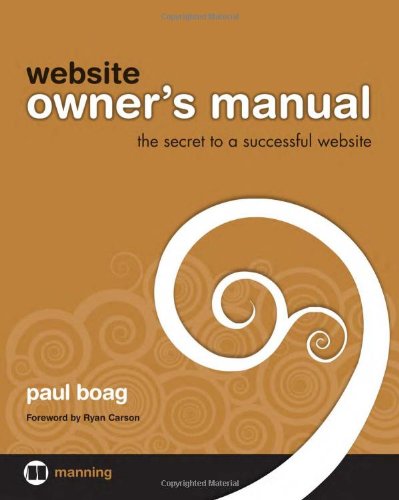
Website Owner s Manual Unedited Draft Meap 1st Edition by Paul Boag ISBN 978-1933988450 1933988450


Original price was: $50.00.$35.00Current price is: $35.00.
Website Owner s Manual Unedited Draft Meap 1st Edition by Paul Boag- Ebook PDF Instant Download/Delivery: 978-1933988450, 1933988450
Full download Website Owner s Manual Unedited Draft Meap 1st Edition after payment
Product details:
ISBN 10: 1933988450
ISBN 13: 978-1933988450
Author: Paul Boag
Many of the people responsible for a website don’t have a clue what’s required tobuild one and keep it up and running. The job of planning, launching, andmanaging a site often falls to people who have little or no experience in webdesign or development. Website Owner’s Manual is for the thousands of marketers,IT managers, project leaders, and business owners who need to put awebsite in place and keep it running with a minimum of trouble.
Using clever illustrations, easy-to-follow lists and diagrams, and other friendlytouches, Website Owner’s Manual helps readers form a vision for a site, guidesthem through the process of selecting a web design agency, and gives just enoughbackground to help them make intelligent decisions throughout the developmentprocess. This book provides a jargon-free overview of web design, includingaccessibility, usability, online marketing, and web development techniques.
Using Website Owner’s Manual, readers master the vocabulary and conceptsthey need to discuss how a website dovetails with the needs of a business. Thisbook will help them work confidently with the designers and developersbuilding and maintaining a site so they can concentrate on what your websiteneeds to do.
Purchase of the print book comes with an offer of a free PDF, ePub, and Kindle eBook from Manning. Also available is all code from the book.
Table of contents:
1 The secret to a successful website.
Discover your missing manual..
Battling information overload
Seeing the bigger picture…
Having a “need to know” mentality.
Principle 1. Balance conflicting priorities
Making your site easy to use
Providing access for all
Producing aesthetic appeal
Facilitating development.
Creating killer content
Focusing on objectives
Principle 2. Define your role.
Having a vision
Establish your vision 9
Know your roadmap 9
Being an advocate.
Evangelizing your site.
Managing your content
Populating initial content
11
Keeping content fresh 11
Ensuring a consistent message and tone 12
Coordinating your projects
Resolving disagreements
Principle 3. Plan for the future
Evaluating your objectives.
Refining your website
Promoting your site.
2 Stress-free planning
Keep your planning lightweight.
Don’t plan in a bubble.
Understanding the context of your web project.
Gaining context through consultation.
Measure success.
Avoiding unrealistic goals
Avoiding the blame game
Know your site.
Qualitative feedback
Quantitative analysis.
Traffic analysis
Automated performance checkers 30
Online visibility trackers
Check out the competition.
Reviewing your competition
Testing your competition.
Picture your users
Prioritizing your users.
Creating personas
Sample person 36
3 The perfect team
Choose when to outsource
Clearly define your project
Write an effective brief
Providing context
Clearly stating your requirements
Defining your deliverables
Learning about the supplier
Avoid disasters..
Never request speculative design
Avoid writing a wish list
Select the perfect team
Narrowing the field
Reading between the lines
Making the final selection
Assessing the proposals
Interviewing the short list
Talking to references
Differences over design
Too many cooks: subjective design
Focusing on your target audience
Testing your design..
What is design testing?
How to run design testing 68
Avoiding design by committee.
Maintaining a broad overview.
The fight for home-page real estate.
Understanding the changing role of the home page.
Rushing into home-page design
Demonstrating the importance of simplicity
Corporate branding.
Creating a personality for your brand
Going from print to the web.
Logo design
Corporate fonts 77
Color 79
The challenges of layout.
Grappling with resolution.
Understanding the fold
Constraining page width.
5 Creating killer content.
Learn the importance of context
Don’t make users read online
Providing context through links
Reducing the desire to leave
Reduce or remove.
Learning where to prune.
Understanding how to prune
Where planning pays off
Cold, hard facts 95
From macro to micro
User-centric structure
Structuring through card sorting.
Going with the flow
Common mistakes in structuring sites.
Confusing naming 99
Overwhelming options 100
Scannable and approachable
Making your content engaging
Making it clear
Making it scannable
6 User-centric design
The profit and loss of usability.
Understanding perceived losses from user testing
Understanding the real profit of user testing
Quick detection of problems
Increased user satisfaction 109
Reduced support costs
Increased efficiency 109
Bargain-basement usability
Testing a little but often.
Why “often” matters 119
When to test 111
Watching out for decreasing returns
Recruiting loosely
Run an effective test session
Being prepared
Understanding the role of facilitator
Who should facilitate user testing?
The facilitator’s responsibilities
Working from a script
Fix the problems..
Filtering out background noise.
Prioritizing and reporting
7 Ensuring access for all.
Identify the cowboys
Learning from history
Understanding the consequences of poor code
Coding for multiple browsers 128
Bloated code 128
Hard-to-maintain code 128
A culture of redesign 129
Learning a better way to build websites.
A matter of style
Improving printing
Capturing the emerging market.
Responding quickly to change.
Never turn away users (or Google)
Handling the expense of accessibility
Achieving increased traffic with minimal effort
Exceed your legal obligations.
Create an accessibility policy
Establishing your long-term accessibility goal..
Having a roadmap for overcoming common problems
Poorly described images 142
Badly labeled links 142
No alternatives to media 143
Reliance on JavaScript 143
Hard-to-read text 144
Testing accessibility.
Maintaining accessibility
Dealing with complaints
8 Taking control
The pros and cons of a CMS
The benefits of a CMS
The drawbacks of a CMS.
The cost of training 152
The effect on quality 153
The effect on functionality
The cost of redundancy and complexity 155
The cost of commitment
Establish your requirements.
Core functionality.
The editor.
Ability to manage assets
Search.
Customization.
User interaction.
Roles and permissions.
Versioning.
Multiple-site support.
Multilingual support
Examine your options.
Using an off-the-shelf CMS vs. a custom-built CMS
Choosing a type of CMS
Desktop applications
Partial CMSs
Blogs 165
Enterprise-level CMSs
Make your selection
Licensing.
The development team
Security.
Accessibility and code quality
Documentation and training.
Support.
Community.
9 Decoding technobabble.
Understand the web
Moving data from the web to your desktop.
Why can’t you see my site when I can? 174
Why is my site down? 175
Why is my site so slow? 176
Understanding how web pages are built
What is a database? 177
What is a server-side language? 177
Understanding Web 2.0, AJAX, and other buzzwords.
Grapple with the browser.
Different browsers, different bugs
Plug-in problems.
Host your site.
Assessing server requirements.
Finding the right hosting package.
Shared hosting 187
Dedicated hosting 187
Assessing hosting companies.
Uptime 188
Support 189
The control panel 190
Limitations on growth
191
Hidden charges 192
10 Driving traffic.
Become number 1 on Google
Avoiding being blacklisted.
Spotting black-hat operators 196
Spotting black-hat techniques 197
Improving your search-engine ranking
Improving your site’s build 199
Improving your site’s content 200
Encouraging quality links 201
Understanding the problem with search engines.
Using pay-per-click advertising.
Go beyond the search engine
Offline promotion
Business stationery 206
Traditional media 206
Miscellaneous marketing materials 207
Word of mouth 207
Targeting your audience
Social sites 208
Editorial sites 210
Viral marketing.
Measure success.
Monitoring marketing.
Monitoring conversions 215
Finding and resolving problems
Drop-out points 216
Identifying popular content.
11 Engaging your visitors
The power of community.
Improving your offering
Changing brand perception.
Promoting your site.
Reducing your costs
The right tool for the job
Using broadcast tools
Using feedback tools.
Email feedback 226
Surveys and questionnaires 227
Using interactive tools.
Successful communication.
Knowing when to communicate
Understanding how to communicate.
Know your voice 231
Be open and honest 232
Foster a community
Controlling growth
Surviving the early days 233
Demand-based growth 236
Feeding the community
12 Planning for the future..
A broken model
A broken relationship.
Target emerging trends.
Creating a richer experience
Standing on the shoulders of giants.
Looking beyond your website.
Building web services 250
Computer-friendly content 251
Target emerging platforms.
Looking beyond the PC..
The importance of environment 252
The limitations of the device 253
Moving to the desktop
Stay informed
People also search for:
website owner s manual unedited
website owners manual
ownermanual.net
download owners manual
website owner manual pdf
Tags: Paul Boag, Website Owner, Manual Unedited