
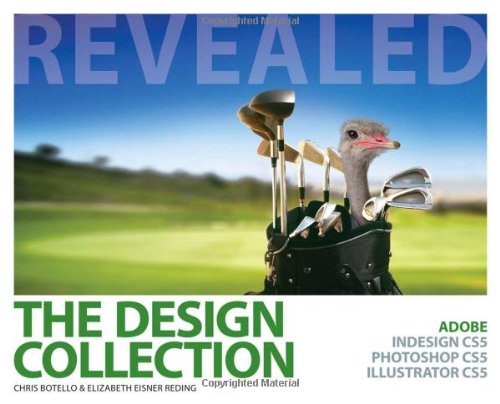
The Design Collection Revealed Adobe Indesign Cs5 Photoshop Cs5 and Illustrator Cs5 1st Edition by Chris Botello, Elizabeth Eisner Reding ISBN 978-1111130619 1111130612

Original price was: $50.00.$35.00Current price is: $35.00.
The Design Collection Revealed Adobe Indesign Cs5 Photoshop Cs5 and Illustrator Cs5 1st Edition by Chris Botello, Elizabeth Eisner Reding – Ebook PDF Instant Download/Delivery: 978-1111130619, 1111130612
Full download The Design Collection Revealed Adobe Indesign Cs5 Photoshop Cs5 and Illustrator Cs5 1st Edition after payment
Product details:
ISBN 10: 1111130612
ISBN 13: 978-1111130619
Author: Chris Botello, Elizabeth Eisner Reding
THE DESIGN COLLECTION REVEALED provides comprehensive step-by-step instruction and in-depth explanation for three of today’s most widely used design and layout programs: Adobe InDesign CS5, Adobe Photoshop CS5, and Adobe Illustrator CS5. Readers gain practical experience with the software as they work through end-of-chapter learning projects and step-by-step tutorials. An integration chapter demonstrates how to move from one application to the other. Full-color illustrations and a user-friendly design combine to create a robust learning experience that reveals how to master the latest features of Adobe’s popular design suite.
Table of contents:
ILLUSTRATOR
Chapter 1: Getting to Know Illustrator
Lesson 1: Explore the Illustrator Workspace
Lesson 2: View and Modify Artboard Elements
Lesson 3: Work with Objects and Smart Guides
Lesson 4: Create Basic Shapes
Lesson 5: Apply Fill and Stroke Colors to Objects
Lesson 6: Select, Move, and Align Objects
Lesson 7: Transform Objects
Lesson 8: Make Direct Selections
Lesson 9: Work with Multiple Artboards
Chapter 2: Creating Text and Gradients
Lesson 1: Create Point Text
Lesson 2: Flow Text into an Object
Lesson 3: Position Text on a Path
Lesson 4: Create Colors and Gradients
Lesson 5: Apply Colors and Gradients to Text
Lesson 6: Adjust a Gradient and Create a Drop Shadow
Chapter 3: Drawing and Composing an Illustration
Lesson 1: Draw Straight Lines
Lesson 2: Draw Curved Lines
Lesson 3: Draw Elements of an Illustration
Lesson 4: Apply Attributes to Objects
Lesson 5: Assemble an Illustration
Lesson 6: Stroke Objects for Artistic Effect
Lesson 7: Use Live Trace and the Live Paint Bucket Tool
Chapter 4: Transforming and Distorting Objects
Lesson 1: Transform Objects
Lesson 2: Offset and Outline Paths
Lesson 3: Create Compound Paths
Lesson 4: Work with the Pathfinder Panel
Lesson 5: Use the Shape Builder Tool
Lesson 6: Create Clipping Masks
Chapter 5: Working with Layers
Lesson 1: Create and Modify Layers
Lesson 2: Manipulate Layered Artwork
Lesson 3: Work with Layered Artwork
Lesson 4: Create a Clipping Set
INTEGRATION
Chapter 1: Integrating Illustrator, Photoshop, and InDesign
Lesson 1: Copy and Paste from Illustrator to Photoshop
Lesson 2: Export Layers from Illustrator to Photoshop
Lesson 3: Create a Chisel Hard Emboss Layer Style
Lesson 4: Create a Stamp Visible Layer
Lesson 5: Create a Smooth Emboss Layer Style
Lesson 6: Create and Apply a Gradient Overlay to a Layer Style
Lesson 7: Create a Pillow Emboss Layer Style
Lesson 8: Copy Layer Styles Between Layers
Lesson 9: Add an Outer Glow Layer Style
Lesson 10: Apply Blending Modes
Lesson 11: Create an InDesign Output File
People also search for:
the design collection revealed
5+design
design by z
is the collection based on a true story
unique design x
Tags: Chris Botello, Elizabeth Eisner Reding, The Design Collection, Adobe Indesign Cs5