
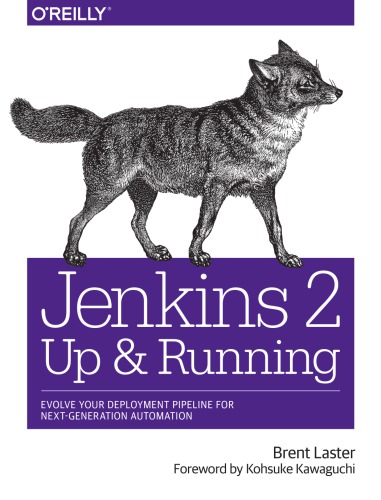
Jenkins 2 Up and Running Evolve Your Deployment Pipeline for Next Generation Automation 1st Edition by Brent Laster ISBN 978-1491979594 1491979593

Original price was: $50.00.$35.00Current price is: $35.00.
Jenkins 2 Up and Running Evolve Your Deployment Pipeline for Next Generation Automation 1st Edition by Brent Laster- Ebook PDF Instant Download/Delivery: 978-1491979594, 1491979593
Full download Jenkins 2 Up and Running Evolve Your Deployment Pipeline for Next Generation Automation 1st Edition after payment
Product details:
ISBN 10: 1491979593
ISBN 13: 978-1491979594
Author: Brent Laster
Design, implement, and execute continuous delivery pipelines with a level of flexibility, control, and ease of maintenance that was not possible with Jenkins before. With this practical book, build administrators, developers, testers, and other professionals will learn how the features in Jenkins 2 let you define pipelines as code, leverage integration with other key technologies, and create automated, reliable pipelines to simplify and accelerate your DevOps environments.
Author Brent Laster shows you how Jenkins 2 is significantly different from the more traditional, web-only versions of this popular open source automation platform. If you’re familiar with Jenkins and want to take advantage of the new technologies to transform your legacy pipelines or build new modern, automated continuous delivery environments, this is your book.
Create continuous delivery pipelines as code with the Jenkins domain-specific language
Get practical guidance on how to migrate existing jobs and pipelines
Harness best practices and new methods for controlling access and security
Explore the structure, implementation, and use of shared pipeline libraries
Learn the differences between declarative syntax and scripted syntax
Leverage new and existing project types in Jenkins
Understand and use the new Blue Ocean graphical interface
Take advantage of the capabilities of the underlying OS in your pipeline
Integrate analysis tools, artifact management, and containers
Table of contents:
1. Introducing Jenkins 2
What Is Jenkins 2?
The Jenkinsfile
Declarative Pipelines
Blue Ocean Interface
New Job Types in Jenkins 2
Reasons for the Shift
DevOps Movement
Assembling Pipelines
Resumability
Configurability
Sharing Workspaces
Specialized Knowledge
Access to Logic
Pipeline Source Management
Competition
Meeting the Challenges
Compatibility
Pipeline Compatibility
Plugin Compatibility
Checking Compatibility
Summary
2. The Foundations
Syntax: Scripted Pipelines Versus Declarative Pipelines Choosing Between Scripted and Declarative Syntax
Systems: Masters, Nodes, Agents, and Executors
Master
Node
Agent
Executor
Creating Nodes
Structure: Working with the Jenkins DSL
node
stage
steps
Supporting Environment: Developing a Pipeline Script
Starting a Pipeline Project
The Editor
Working with the Snippet Generator
Running a Pipeline
Replay
Summary
3. Pipeline Execution Flow..
Triggering Jobs
Build After Other Projects Are Built
Build Periodically
GitHub Hook Trigger for GitSCM Polling
Poll SCM
Quiet Period
Trigger Builds Remotely
User Input
input
Parameters
Return Values from Multiple Input Parameters
Parameters and Declarative Pipelines
Flow Control Options
timeout
retry
sleep
waitUntil
Dealing with Concurrency
Locking Resources with the lock Step
Controlling Concurrent Builds with Milestones
Restricting Concurrency in Multibranch Pipelines
Running Tasks in Parallel
Conditional Execution
Post-Processing
Scripted Pipelines Post-Processing
Declarative Pipelines and Post-Processing
Summary
4. Notifications and Reports…
Notifications
Collaboration Services
Reports
Publishing HTML Reports
Summary
5. Access and Security.
Securing Jenkins
Enabling Security
Other Global Security Settings
Credentials in Jenkins
Credential Scopes
Credential Domains
Credential Providers
Credential Stores
Administering Credentials
Selecting Credential Providers
Selecting Credential Types
Specifying Credential Types by Provider
Creating and Managing Credentials
Context Links
Adding a New Domain and Credential
Using the New Domain and Credential
Advanced Credentials: Role-Based Access
Basic Use
Manage Roles
Assign Roles
Role Strategy Macros
Working with Credentials in the Pipeline
Username and Password
SSH Keys
Token Credentials
Controlling Script Security
Script Checking
Script Approval
Groovy Sandboxing
Using Jenkins Credentials with Vault
Approach
Setup
Creating a Policy
Authentication
Using Vault in Jenkins
Summary
6. Extending Your Pipeline.
Trusted Versus Untrusted Libraries
Internal Versus External Libraries
Internal Libraries
External Libraries
Getting a Library from the Source Repository
Modern SCM
Legacy SCM
Using Libraries in Your Pipeline Script
Automatic Downloading of Libraries from Source Control
Loading Libraries into Your Script
Library Scope Within Jenkins Items
Library Structure
Sample Library Routine
Structure of Shared Library Code
Using Third-Party Libraries
Loading Code Directly
Loading Code from an External SCM
Replaying External Code and Libraries
A Closer Look at Trusted Versus Untrusted Code
Summary
7. Declarative Pipelines
Motivation
Not Intuitive
Getting Groovy
Additional Assembly Required
The Structure
Block
Section
Directives
Steps
Conditionals
The Building Blocks
pipeline
agent
environment
tools
options
triggers
parameters
libraries
stages
post
Dealing with Nondeclarative Code
Check Your Plugins
Create a Shared Library
Place Code Outside of the Pipeline Block
The script Statement
Using parallel in a Stage
Script Checking and Error Reporting
Declarative Pipelines and the Blue Ocean Interface
Summary
8. Understanding Project Types.
Common Project Options
General
Source Code Management
Build Triggers
Build Environment
Build
Post-Build Actions
Types of Projects
Freestyle Projects
The Maven Project Type
The Pipeline Project Type
The External Job Project Type
The Multiconfiguration Project Type
Ivy Projects
Folders
Multibranch Pipeline Projects
GitHub Organization Projects
Bitbucket Team/Project Projects
Summary
9. The Blue Ocean Interface
Part 1: Managing Existing Pipelines
The Dashboard
The Project-Specific Page
The Run Page
Part 2: Working with the Blue Ocean Editor
Creating a New Pipeline Without an Existing Jenkinsfile
Working in the Editor
Editing an Existing Pipeline
Importing and Editing Existing Pipelines
Working with Pipelines from Non-GitHub Repositories
Summary
10. Conversions.
Common Preparation
Logic and Accuracy
Project Type
Systems
Access
Global Configuration
Plugins
Shared Libraries
Converting a Freestyle Pipeline to a Scripted Pipeline
Source
Compile
Unit Tests
Integration Testing
Migrating the Next Parts of the Pipeline
Converting from a Jenkins Pipeline Project to a Jenkinsfile
Approach
Final Steps
Converting from a Scripted Pipeline to a Declarative Pipeline
Sample Pipeline
The Conversion
Completed Conversion
General Guidance for Conversions
Summary
11. Integration with the OS (Shells, Workspaces, Environments, and Files).
Using Shell Steps
The sh Step
The bat Step
The powershell Step
Working with Environment Variables
The withEnv Step
Working with Workspaces
Creating a Custom Workspace
Cleaning a Workspace
File and Directory Steps
Working with Files
Working with Directories
Doing More with Files and Directories
Summary
12. Integrating Analysis Tools..
SonarQube Survey
Working with Individual Rules
Quality Gates and Profiles
The Scanner
Using SonarQube with Jenkins
Global Configuration
Using SonarQube in a Freestyle Project
Using SonarQube in a Pipeline Project
Leveraging the Outcome of the SonarQube Analysis
SonarQube Integration Output with Jenkins
Code Coverage: Integration with JaCoCo
About JaCoCo
Integrating JaCoCo with the Pipeline
JaCoCo Output Integration with Jenkins
Summary
13. Integrating Artifact Management
Publishing and Retrieving Artifacts
Setup and Global Configuration
Using Artifactory in a Scripted Pipeline
Performing Other Tasks
Downloading Specific Files to Specific Locations
Uploading Specific Files to Specific Locations
Setting Build Retention Policies
Build Promotion
People also search for:
jenkins 2 up and running pdf
jenkins 2 up and running by brent laster
jenkins get all running jobs
jenkins kill all running jobs
running two jenkins instances
Tags: Brent Laster, Jenkins 2 Up, Running Evolve, Your Deployment, Next Generation