
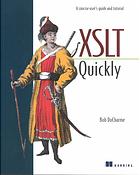

XSLT Quickly 1st Edition by Bob Ducharme – Ebook PDF Instant Download/Delivery: 978-1930110113, 1930110111
Full download XSLT Quickly 1st Edition after payment
Product details:
ISBN 10: 1930110111
ISBN 13: 978-1930110113
Author: Bob Ducharme
XSLT Quickly is, quite obviously, for anyone who needs to learn XSLT quickly. This book has two main goals: to familiarize the reader with the portions of XSLT that he/she will use eighty per cent of the time, and to provide a “cookbook” approach to learning additional techniques as they are needed.
Part One is a step-by-step tutorial that brings the reader up to speed on the basic concepts and document manipulation techniques necessary for the most common XSLT tasks. More importantly, it represents the foundation on which the understanding of everything in Part Two is built.
Part Two is a cookbook–a task-oriented user’s guide to various issues one may meet in tackling XSLT. This portion of the book is organized by the goals of XSLT tasks (converting elements to attributes, reading in multiple documents at once, etc.). This makes it far easier for readers who don’t already know XSLT to quickly find the solutions to their stylesheet development problems.
XSLT Quickly also includes a glossary, a quick reference section for XSLT syntax, and a quick reference for using the popular XSLT processors.
Table of contents:
Part 1: Getting Started with XSLT
-
A Brief Tutorial
1.1 What is XSLT (and XSL, and XPath)?
– XSLT and alternatives
– Documents, trees, and transformations
1.2 A Simple XSLT Stylesheet
– Template rules
– Running an XSLT processor
– An empty stylesheet
1.3 More Element and Attribute Manipulation
– Manipulating attributes
– Attribute value templates
1.4 Summing Up the Tutorial
Part 2: XSLT User’s Guide: How Do I Work With…
2. XPath
2.1 Location Paths, Axes, Node Tests, and Predicates
2.2 Axes
– Ancestor and ancestor-or-self
– The child, parent, and attribute axes
– Preceding-sibling and following-sibling
– Preceding and following
– Descendant and descendant-or-self
– Self
– Namespace
2.3 Node Tests
2.4 Predicates
-
Elements and Attributes
3.1 Adding New Elements to the Result Tree
3.2 Changing Element Names for the Result Tree
3.3 Parent, Grandparent, Sibling, Uncle, and Other Relative Elements: Getting Their Content and Attributes
3.4 Previous, Next, First, Third, Last Siblings
3.5 Converting Elements to Attributes for the Result Tree
3.6 Copying Elements to the Result Tree
3.7 Counting Elements and Other Nodes
3.8 Deleting Elements from the Result Tree
3.9 Duplicate Elements: Deleting
3.10 Empty Elements: Creating, Checking For
3.11 Moving and Combining Elements for the Result Tree
– Reordering an Element’s Children withxsl:apply-templates
– Moving Text withxsl:value-of
3.12 Selecting Elements Based on: Element Name, Content, Children, Parents
3.13 Adding New Attributes
3.14 Converting Attributes to Elements
3.15 Getting Attribute Values and Names
3.16 Testing for Attribute Existence and for Specific Attribute Values
3.17 Reusing Groups of Attributes -
Advanced XML Markup
4.1 Comments
– Outputting Comments
– Reading and Using Source Tree Comments
4.2 Entities
4.3 Namespaces
– Namespaces and Your Result Document
– Namespaces and Stylesheet Logic
4.4 Images, Multimedia Elements, and Other Unparsed Entities
4.5 Processing Instructions
– Outputting Processing Instructions Using Source Tree Processing Instructions
– Reading and Using Processing Instructions -
Programming Issues
5.1 Control Statements
– Conditional Statements with “If” and “Choose (Case)”
– Curly Braces: When Do I Need Them?
– “For” Loops, Iteration
5.2 Combining Stylesheets with Include and Import
–xsl:include
–xsl:import
5.3 Named Templates
5.4 Debugging
– Runtime Messages, Aborting Processor Execution
– Keeping Track of Your Elements
– Tracing a Processor’s Steps
– Listing the Nodes in an XPath Expression
5.5 Extensions to XSLT
– Extension Elements and Extension Functions
– Using Built-in Extensions
5.6 Numbers and Math
5.7 Strings
– Extracting and Comparing Strings
– Search and Replace
5.8 Variables and Parameters: Setting and Using
– Variables
– Parameters
5.9 Declaring Keys and Performing Lookups
5.10 Finding the First, Last, Biggest, and Smallest
5.11 Using the W3C XSLT Specification
– Pairs of Confusing Related Terms
– Other Confusing Terms -
Specialized Input & Output
6.1 HTML and XSLT
– HTML as Input
– HTML as Output
6.2 Browsers and XSLT
– Internet Explorer
– Netscape Navigator
6.3 Multiple Input Documents
6.4 Using Modes to Create Tables of Contents and Other Generated Lists
6.5 Non-XML Output
6.6 Numbering, Automatic
6.7 Sorting
6.8 Stripping All Markup from a Document
6.9 Valid XML Output: Including DOCTYPE Declarations
6.10 XML Declarations
6.11 Whitespace: Preserving and Controlling
–xsl:strip-spaceandxsl:preserve-space
– Indenting
– Adding and Removing Whitespace withxsktext
– Adding Tabs to Your Output
– Normalizing Space
6.12 Generating IDs and Links
6.13 XSL and XSLT: Creating Acrobat Files and Other Formatted Output
6.14 Splitting Up Output into Multiple Files
Part 3: Appendices
A. XSLT Quick Reference
A.1 Top-Level Elements
A.2 Instructions
A.3 No Category
B. Running XSLT Processors
B.1 Running XSLT Processors
B.2 Saxon
B.3 XT
B.4 iXSLT
B.5 Xalan-Java
B.6 Xalan-C++
B.7 Sablotron
B.8 MSXSL
People also search for:
xslt when example
xslt quote
xslt quotes in string
xslt query
xslt multiple input files
Tags: Bob Ducharme, XSLT Quickly