
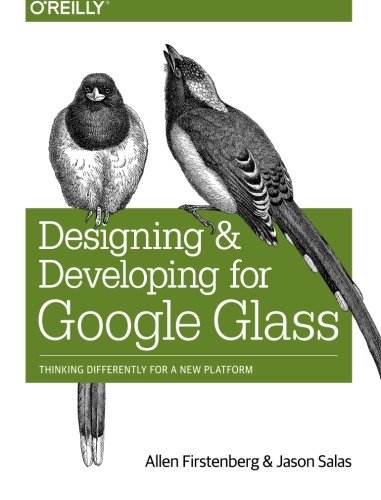
Designing and Developing for Google Glass Thinking Differently for a New Platform 1st Edition by Allen Firstenberg, Jason Salas ISBN 978-1491946459 1491946458

Original price was: $50.00.$35.00Current price is: $35.00.
Designing and Developing for Google Glass Thinking Differently for a New Platform 1st Edition by Allen Firstenberg, Jason Salas- Ebook PDF Instant Download/Delivery: 978-1491946459, 1491946458
Full download Designing and Developing for Google Glass Thinking Differently for a New Platform 1st Edition after payment
Product details:
ISBN 10: 1491946458
ISBN 13: 978-1491946459
Author: Allen Firstenberg, Jason Salas
Creating apps for Google Glass is more involved than simply learning how to navigate its hardware, APIs, and SDK. You also need the right mindset. While this practical book delivers the information and techniques you need to build and deploy Glass applications, it also helps you to think for Glass by showing you how the platform works in, and affects, its environment.
In three parts―Discover, Design, and Develop―Glass pioneers guide you through the Glass ecosystem and demonstrate what this wearable computer means for users, developers, and society as a whole. You’ll learn how to create rich functionality for a consumer technology that’s radically different than anything currently available.
- Learn the Five Noble Truths of great Glassware design
- Understand the Glass ecosystem and learn why it’s different
- Sidestep Glass’s societal concerns in your projects
- Learn how Glass adapts to the user’s world, rather than the other way around
- Avoid poor design by identifying Glassware antipatterns
- Build cloud services with the Google Mirror API
- Use the Glass Development Kit to develop client applications
- Submit your project for review in the MyGlass directory
Table of contents:
Part I.
Discover
1. The Revolution Will Be Wearable.
Forging Glass
Wearable Computing
What Does It Mean to Think for Glass?
2. The Glass Ecosystem: What It Is and How It Is Different…
What You See and What You Get
Glass Is a Platform, Not a Product
The Glass Application Model
Mirror API
Glass Development Kit (GDK)
Actions, Not Apps
Reinventing Human-Computer Interaction
The Science Behind the Projection
How Glass Gets Audio into Your Ear
Using the System
The Camera: Photos, Videos, and More!
Glass Is a Great Listener
Content Creation in a POV World
Which Hue Is for You?
Welcome to Wearable Computing!
3. Societal Issues with Glass and How to Avoid Them in Your Projects……..
Issue #1: Privacy
Where Are We Now?
Think for Glass
Issue #2: Facial Recognition
Where Are We Now?
Think for Glass
Issue #3: Using Glass While Driving
Where Are We Now?
Think for Glass
Issue #4: Aesthetic Appeal-Is Glass Fashionable?
Where Are We Now?
Think for Glass
Issue #5: Augmented Reality
Where Are We Now?
Think for Glass
Issue #6: Glass Analytics
Where Are We Now?
Think for Glass
Issue #7: Regulatory Environment-Glass and Public Policy
Where Are We Now?
Think for Glass
The Business of Producing Glassware
What Glass Isn’t
Part II. Design
4. Thinking for Glass: How Glass Is, and Should Be, Personal…
Glass as Personal Technology
Best in Show
Gmail
Google+
Winning Glassware Design Takeaways
Designing with the Think for Glass Mindset
Vignettes
Google Now
Google Search
Glass for Gaming
Design for the Cloud
Are You Starting to Think for Glass?
5. The Five Noble Truths of Great Glassware Design.
Noble Truth 1: Design for Glass
Targeting Microinteractions
Tactical Wearable Design
Don’t Neglect Audio
Delete Versus Dismiss
Provide Web-Based Configuration
Noble Truth 2: Don’t Get in the Way
Notify Responsibly
Less Is More
The Exceptions Make the Rule
Noble Truth 3: Keep It Relevant
Context FTW
How Soon Is Now?
Noble Truth 4: Avoid the Unexpected
Content
Performance
Don’t Be a Bandwidth Hog
Permissions
Error Handling
Synchronization Across Platforms
Surprises Should Be Pleasant Surprises
Noble Truth 5: Build for People
Advocate Multitasking
Glass Is Naturally Social
So…That’s It? Really?
6. Glassware Antipatterns: Avoiding Poor Design.
Improperly Implementing Ideas for the Glass Experience
Treating Glass Like Any Other Mobile Device
Overloading the System AND the Wearer
Think in Actions, Not in Apps
Stick to the Prefab Templates and Styles
Don’t Use the Prism Display as a Stage for Complicated Reports
Glass Isn’t Necessarily Bound to Your Phone
Unrealistic Expectations for Augmented Reality and Gaming
Don’t Deviate from Default: Using Categorial Voice Commands
Not Fully Utilizing Cloud Computing
Choosing the Wrong Development Framework for Your Glassware Project
Part III.
Develop
7. Overview of the Mirror API
Life on the Server Side
Events: The Building Blocks of the Glass Timeline
The High-Level View How Your Server Talks with Google Components of the Mirror API Preparing Your Project The Glass Ceiling-Your Project’s Quota The Even Bigger Picture
8. Security and OAuth
Event Security: Google the Bouncer
OAuth: IDs and Secrets
Will You Come and Join the Dance? Who Are You? I Am the New Number Two What Do You Want? Information Disabling (and Reacquiring) Permissions Who Is Number One? You Are Number Six WAKE UP!!!
9. Working with Timeline Cards.
“Hello, World!”, Glass-Style
HTML: Even More Style
What About Images?
Working with Mosaics
Rendering an In-Card Map
Simple Audio
Bundles of Fun
Going Beyond the Playground
Media Matters
Oh, CRUD…
10. Card Actions and Subscriptions
Simple Event Actions
Listen Up!
collection
userToken
verifyToken
callbackUrl
Responding to Subscription Pings
Simple Callbacks and How to Handle Them
Custom Menu Items
Keeping in Contact
11. Sharing Resources with Glassware..
The Share Menu Item
Share Contacts
Voice Commands
12. Context Is King: Using Location and Other Signals.
Enabling Location
Where Do You Think I Am?
Location as Part of Timeline Events
Setting Things Straight
Location Becomes Localization
Subscribing to Locale Changes Saves API Calls
Other Contextual Signals
Context and the Future
13. The GDK
Installed Apps Running on Glass
What Is the GDK?
How the GDK Differs from the Mirror API
User Interface Elements of GDK Apps
Live Cards
Two Flavors of Live Cards
Dives
More Tools for Rapid Design
It Was Native All Along!
The GDK Object Model
Packages
System Intents
On-Head Detection Halts Running Apps, Too
Hybrids: The Ultimate Glassware Challenge (and Experience!)
Authentication
Writing Native Code for Glass
Testing Native Glass Applications
A View to a Card
Basic Text Formatting
Creating Rich Text
Ellipses and Excess Content
Columnar Layouts and Mosaics
Using Icons
Other Neat Templates
When You Have No Choice-Doing It Yourself
Configuring Voice Commands
With Voice Commands, Google Has the Final Word Updating Releases, Versioning, and Crash Reports Porting Existing Apps to Glass: DON’T So Which Framework Is for Me?
14. Getting on MyGlass: Glassware Submission, Review, and Distribution.
Making Your Awesome Glassware Even More Awesome
The Objective of Glassware Review
What MyGlass Gets You
Prereview Activities
Things to Think About Before You Submit
Submitting Your Glassware
Gotchas
Submit!
The Review Process
Timing Your Release
Categorical Listings
App Analytics
Marketing Channels
Monetization
15. Reflections on the Future.
Corporate Glass
Streamlining Operations
Glass in Medicine and Education
Accessibility
Home Integration
Chromecast and Home Entertainment
Android Wear
Hardware Hacking and the Internet of Things
Peripherals/Accessories
In Closing
Part IV. Appendices
A. Glassware Done Right: Case Studies from the Field.
People also search for:
selecting designing and developing your questionnaire
difference between designing and developing
designing and developing effective hrd programs
designing and developing assessment
designing and developing social advocacy
Tags: Allen Firstenberg, Jason Salas, Designing and Developing, Thinking Differently, New Platform