
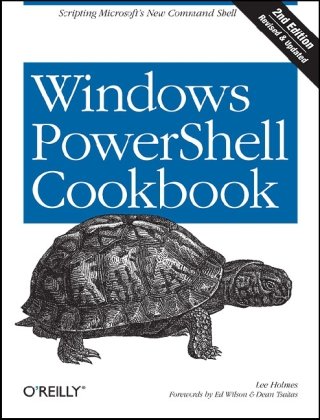
Windows PowerShell Cookbook The Complete Guide to Scripting Microsoft s New Command Shell Second Edition by Lee Holmes ISBN 1449320686 978-1449320683


Original price was: $50.00.$35.00Current price is: $35.00.
Windows PowerShell Cookbook The Complete Guide to Scripting Microsoft s New Command Shell Second Edition by Lee Holmes – Ebook PDF Instant Download/Delivery: 1449320686, 978-1449320683
Full download Windows PowerShell Cookbook The Complete Guide to Scripting Microsoft s New Command Shell Second Edition after payment
Product details:
ISBN 10: 1449320686
ISBN 13: 978-1449320683
Author: Lee Holmes
How do you use Windows PowerShell to navigate the filesystem, manage files and folders, or retrieve a web page? This introduction to the PowerShell language and scripting environment provides more than 400 task-oriented recipes to help you solve all kinds of problems. Intermediate to advanced system administrators will find more than 100 tried-and-tested scripts they can copy and use immediately.
Updated for PowerShell 3.0, this comprehensive cookbook includes hands-on recipes for common tasks and administrative jobs that you can apply whether youâ??re on the client or server version of Windows. You also get quick references to technologies used in conjunction with PowerShell, including format specifiers and frequently referenced registry keys to selected .NET, COM, and WMI classes.
Learn how to use PowerShell on Windows 8 and Windows Server 2012
Tour PowerShellâ??s core features, including the command model, object-based pipeline, and ubiquitous scripting
Master fundamentals such as the interactive shell, pipeline, and object concepts
Perform common tasks that involve working with files, Internet-connected scripts, user interaction, and more
Solve tasks in systems and enterprise management, such as working with Active Directory and the filesystem
Table of contents:
Part I. Tour
A Guided Tour of Windows PowerShell
Part II. Fundamentals
The Windows PowerShell Interactive Shell
Run Programs, Scripts, and Existing Tools
Resolve Errors Calling Native Executables
Run a PowerShell Command
Invoke a Long-Running or Background Command
Notify Yourself of Job Completion
Customize Your Shell, Profile, and Prompt
Find a Command to Accomplish a Task
Get Help on a Command
Program: Search Help for Text
Program: View PowerShell’s HTML Help
Launch PowerShell at a Specific Location
Invoke a PowerShell Command or Script from Outside PowerShell
Customize the Shell to Improve Your Productivity
Program: Learn Aliases for Common Commands
Program: Learn Aliases for Common Parameters
Access and Manage Your Console History
Program: Create Scripts from Session History
Invoke a Command from Your Session History
Program: Search Formatted Output for a Pattern
Interactively View and Process Command Output
Store the Output of a Command in a File
Add Information to the End of a File
Record a Transcript of Your Shell Session
Extend Your Shell with Additional Commands
Use Commands from Customized Shells
Save State Between Sessions
Pipelines
Filter Items in a List or Command Output
Group and Pivot Data by Name
Program: Simplify Most Where-Object Filters
Program: Interactively Filter Lists of Objects
Work with Each Item in a List or Command Output
Automate Data-Intensive Tasks
Program: Simplify Most Foreach-Object Pipelines
Intercept Stages of the Pipeline
Automatically Capture Pipeline Output
Capture and Redirect Binary Process Output
Variables and Objects
Display the Properties of an Item as a List
Display the Properties of an Item as a Table
Store Information in Variables
Access Environment Variables
Program: Retain Changes to Environment Variables Set by a Batch File
Control Access and Scope of Variables and Other Items
Program: Create a Dynamic Variable
Work with .NET Objects
Create an Instance of a .NET Object
Program: Create Instances of Generic Objects
Reduce Typing for Long Class Names
Use a COM Object
Learn About Types and Objects
Get Detailed Documentation About Types and Objects
Add Custom Methods and Properties to Objects
Create and Initialize Custom Objects
Add Custom Methods and Properties to Types
Looping and Flow Control
Make Decisions with Comparison and Logical Operators
Adjust Script Flow Using Conditional Statements
Manage Large Conditional Statements with Switches
Repeat Operations with Loops
Add a Pause or Delay
Strings and Unstructured Text
Create a String
Create a Multiline or Formatted String
Place Special Characters in a String
Insert Dynamic Information in a String
Prevent a String from Including Dynamic Information
Place Formatted Information in a String
Search a String for Text or a Pattern
Replace Text in a String
Split a String on Text or a Pattern
Combine Strings into a Larger String
Convert a String to Upper/Lowercase
Trim a String
Format a Date for Output
Program: Convert Text Streams to Objects
Generate Large Reports and Text Streams
Generate Source Code and Other Repetitive Text
Calculations and Math
Perform Simple Arithmetic
Perform Complex Arithmetic
Measure Statistical Properties of a List
Work with Numbers as Binary
Simplify Math with Administrative Constants
Convert Numbers Between Bases
Lists, Arrays, and Hashtables
Create an Array or List of Items
Create a Jagged or Multidimensional Array
Access Elements of an Array
Visit Each Element of an Array
Sort an Array or List of Items
Determine Whether an Array Contains an Item
Combine Two Arrays
Find Items in an Array That Match a Value
Compare Two Lists
8. Utility Tasks
8.1 Get the System Date and Time
8.2 Measure the Duration of a Command
8.3 Read and Write from the Windows Clipboard
8.4 Generate a Random Number or Object
8.5 Program: Search the Windows Start Menu
8.6 Program: Show Colorized Script Content
Part III. Common Tasks
9. Simple Files
9.1 Get the Content of a File
9.2 Search a File for Text or a Pattern
9.3 Parse and Manage Text-Based Logfiles
9.4 Parse and Manage Binary Files
9.5 Create a Temporary File
9.6 Search and Replace Text in a File
9.7 Program: Get the Encoding of a File
9.8 Program: View the Hexadecimal Representation of Content
10. Structured Files
10.1 Access Information in an XML File
10.2 Perform an XPath Query Against XML
10.3 Convert Objects to XML
10.4 Modify Data in an XML File
10.5 Easily Import and Export Your Structured Data
10.6 Store the Output of a Command in a CSV or Delimited File
10.7 Import CSV and Delimited Data from a File
10.8 Use Excel to Manage Command Output
10.9 Parse and Interpret PowerShell Scripts
11. Code Reuse
11.1 Write a Script
11.2 Write a Function
11.3 Find a Verb Appropriate for a Command Name
11.4 Write a Script Block
11.5 Return Data from a Script, Function, or Script Block
11.6 Package Common Commands in a Module
11.7 Write Commands That Maintain State
11.8 Selectively Export Commands from a Module
11.9 Diagnose and Interact with Internal Module State
11.10 Handle Cleanup Tasks When a Module Is Removed
11.11 Access Arguments of a Script, Function, or Script Block
11.12 Add Validation to Parameters
11.13 Accept Script Block Parameters with Local Variables
11.14 Dynamically Compose Command Parameters
11.15 Provide -WhatIf, -Confirm, and Other Cmdlet Features
11.16 Add Help to Scripts or Functions
11.17 Add Custom Tags to a Function or Script Block
11.18 Access Pipeline Input
11.19 Write Pipeline-Oriented Scripts with Cmdlet Keywords
11.20 Write a Pipeline-Oriented Function
11.21 Organize Scripts for Improved Readability
11.22 Invoke Dynamically Named Commands
11.23 Program: Enhance or Extend an Existing Cmdlet
12. Internet-Enabled Scripts
12.1 Download a File from the Internet
12.2 Download a Web Page from the Internet
12.3 Program: Get-PageUrls
12.4 Connect to a Web Service
12.5 Program: Connect-WebService
12.6 Export Command Output as a Web Page
12.7 Send an Email
12.8 Program: Send-MailMessage
12.9 Program: Interact with Internet Protocols
13. User Interaction
13.1 Read a Line of User Input
13.2 Read a Key of User Input
13.3 Program: Display a Menu to the User
13.4 Display Messages and Output to the User
13.5 Provide Progress Updates on Long-Running Tasks
13.6 Write Culture-Aware Scripts
13.7 Support Other Languages in Script Output
13.8 Program: Invoke a Script Block with Alternate Culture Settings
13.9 Access Features of the Host’s UI
13.10 Program: Add a Graphical User Interface to Your Script
13.11 Interact with UI Frameworks and STA Objects
14. Debugging
14.1 Prevent Common Scripting Errors
14.2 Trace Script Execution
14.3 Set a Script Breakpoint
14.4 Debug a Script When It Encounters an Error
14.5 Create a Conditional Breakpoint
14.6 Investigate System State While Debugging
14.7 Program: Watch an Expression for Changes
14.8 Program: Get Script Code Coverage
15. Tracing and Error Management
15.1 Determine the Status of the Last Command
15.2 View the Errors Generated by a Command
15.3 Manage the Error Output of Commands
15.4 Program: Resolve an Error
15.5 Configure Debug, Verbose, and Progress Output
15.6 Handle Warnings, Errors, and Terminating Errors
15.7 Output Warnings, Errors, and Terminating Errors
15.8 Program: Analyze a Script’s Performance Profile
16. Environmental Awareness
16.1 View and Modify Environment Variables
16.2 Access Information About Your Command’s Invocation
16.3 Program: Investigate the InvocationInfo Variable
16.4 Find Your Script’s Name
16.5 Find Your Script’s Location
16.6 Find the Location of Common System Paths
16.7 Get the Current Location
16.8 Safely Build File Paths Out of Their Components
16.9 Interact with PowerShell’s Global Environment
16.10 Determine PowerShell Version Information
17. Extend the Reach of Windows PowerShell
17.1 Automate Programs Using COM Scripting Interfaces
17.2 Program: Query a SQL Data Source
17.3 Access Windows Performance Counters
17.4 Access Windows API Functions
17.5 Program: Invoke Simple Windows API Calls
17.6 Define or Extend a .NET Class
17.7 Add Inline C# to Your PowerShell Script
17.8 Create Your Own PowerShell Cmdlet
17.9 Program: A Custom SDK Library
People also search for:
can windows powershell be deleted
does windows come with powershell
is windows powershell command prompt
what windows powershell used for
which windows powershell to use
Tags:
Lee Holmes,Windows PowerShell,The Complete,Scripting Microsoft