
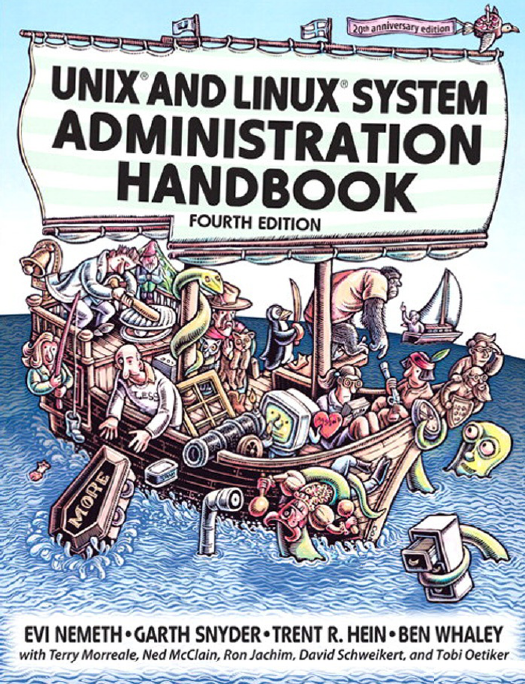
UNIX and Linux System Administration Handbook 4th Edition by Terry Morreale, Ben Whaley, Trent Hein, Garth Snyder, Evi Nemeth ISBN 978-0131480056 0131480057

Original price was: $50.00.$35.00Current price is: $35.00.
UNIX and Linux System Administration Handbook 4th Edition by Terry Morreale, Ben Whaley, Trent R. Hein, Garth Snyder, Evi Nemeth – Ebook PDF Instant Download/Delivery: 978-0131480056, 0131480057
Full download UNIX and Linux System Administration Handbook 4th Edition after payment
Product details:
ISBN 10: 0131480057
ISBN 13: 978-0131480056
Author: Terry Morreale, Ben Whaley, Trent R. Hein, Garth Snyder, Evi Nemeth
“As an author, editor, and publisher, I never paid much attention to the competition–except in a few cases. This is one of those cases. The UNIX System Administration Handbook is one of the few books we ever measured ourselves against.”
–From the Foreword by Tim O’Reilly, founder of O’Reilly Media
“This book is fun and functional as a desktop reference. If you use UNIX and Linux systems, you need this book in your short-reach library. It covers a bit of the systems’ history but doesn’t bloviate. It’s just straightfoward information delivered in colorful and memorable fashion.”
–Jason A. Nunnelley
“This is a comprehensive guide to the care and feeding of UNIX and Linux systems. The authors present the facts along with seasoned advice and real-world examples. Their perspective on the variations among systems is valuable for anyone who runs a heterogeneous computing facility.”
–Pat Parseghian
The twentieth anniversary edition of the world’s best-selling UNIX system administration book has been made even better by adding coverage of the leading Linux distributions: Ubuntu, openSUSE, and RHEL.
This book approaches system administration in a practical way and is an invaluable reference for both new administrators and experienced professionals. It details best practices for every facet of system administration, including storage management, network design and administration, email, web hosting, scripting, software configuration management, performance analysis, Windows interoperability, virtualization, DNS, security, management of IT service organizations, and much more. UNIX® and Linux® System Administration Handbook, Fourth Edition, reflects the current versions of these operating systems:
Ubuntu® Linux
openSUSE® Linux
Red Hat® Enterprise Linux®
Oracle America® Solaris™ (
formerly Sun Solaris
)
HP HP-UX®
IBM AIX®
Table of contents:
SECTION ONE: BASIC ADMINISTRATION
CHAPTER 1
WHERE TO START
Essential duties of the system administrator
Account provisioning
Adding and removing hardware.
Performing backups.
Installing and upgrading software.
Monitoring the system.
Troubleshooting.
Maintaining local documentation
Vigilantly monitoring security.
Fire fighting…
Suggested background
Friction between UNIX and Linux
Linux distributions.
Example systems used in this book
Example Linux distributions.
Example UNIX distributions
System-specific administration tools.
Notation and typographical conventions.
Units.
Man pages and other on-line documentation
Organization of the man pages.
man: read man pages
Storage of man pages.
GNU Texinfo.
Other authoritative documentation.
System-specific guides.
Package-specific documentation
Books
RFCs and other Internet documents
The Linux Documentation Project
Other sources of information
Ways to find and install software
Determining whether software has already been installed.
Adding new software.
Building software from source code
System administration under duress
Recommended reading.
System administration
Essential tools
Exercises.
CHAPTER 2
SCRIPTING AND THE SHELL
Shell basics.
Command editing.
Pipes and redirection
Variables and quoting
Common filter commands
cut: separate lines into fields
sort: sort lines.
uniq: print unique lines
wc: count lines, words, and characters
tee: copy input to two places.
head and tail: read the beginning or end of a file
grep: search text
bash scripting
From commands to scripts.
Input and output.
Command-line arguments and functions.
Variable scope
Control flow.
Loops
Arrays and arithmetic
Regular expressions
The matching process
Literal characters.
Special characters
Example regular expressions.
Captures
Greediness, laziness, and catastrophic backtracking.
Perl programming
Variables and arrays.
Array and string literals
Function calls
Type conversions in expressions
String expansions and disambiguation of variable references
Hashes
References and autovivification
Regular expressions in Perl.
Input and output.
Control flow.
Accepting and validating input.
Perl as a filter.
Add-on modules for Perl.
Python scripting.
Python quick start.
Objects, strings, numbers, lists, dictionaries, tuples, and files
Input validation example.
Loops
Scripting best practices
Recommended reading
Shell basics and bash scripting
Regular expressions
Perl scripting
Python scripting.
Exercises.
CHAPTER 3
BOOTING AND SHUTTING DOWN
Bootstrapping
Recovery boot to a shell
Steps in the boot process
Kernel initialization
Hardware configuration
Creation of kernel processes
Operator intervention (recovery mode only).
Execution of startup scripts.
Boot process completion.
Booting PCs….
GRUB: The GRand Unified Boot loader.
Kernel options.
Multibooting
Booting to single-user mode.
Single-user mode with GRUB
Single-user mode on SPARC
HP-UX single-user mode
AIX single-user mode
Working with startup scripts
init and its run levels.
Overview of startup scripts
Red Hat startup scripts.
SUSE startup scripts
Ubuntu startup scripts and the Upstart daemon.
HP-UX startup scripts.
AIX startup
Booting Solaris
The Solaris Service Management Facility
A brave new world: booting with SMF
Rebooting and shutting down
shutdown: the genteel way to halt the system
halt and reboot: simpler ways to shut down
Exercises.
CHAPTER 4
ACCESS CONTROL AND ROOTLY POWERS
Traditional UNIX access control
Filesystem access control.
Process ownership
The root account.
Setuid and setgid execution
Modern access control
Role-based access control
SELinux: security-enhanced Linux.
POSIX capabilities (Linux)
PAM: Pluggable Authentication Modules
Kerberos: third-party cryptographic authentication
Access control lists
Real-world access control
Choosing a root password.
Logging in to the root account
su: substitute user identity.
sudo: limited su.
Password vaults and password escrow
Pseudo-users other than root
Exercises.
CHAPTER 5
CONTROLLING PROCESSES
Components of a process.
PID: process ID number
PPID: parent PID
UID and EUID: real and effective user ID
GID and EGID: real and effective group ID
Niceness.
Control terminal
The life cycle of a process
Signals.
kill: send signals
Process states
nice and renice: influence scheduling priority.
ps: monitor processes.
Dynamic monitoring with top, prstat, and topas.
The /proc filesystem..
strace, truss, and tusc: trace signals and system calls
Runaway processes
Recommended reading
Exercises.
CHAPTER 6
THE FILESYSTEM
Pathnames
Absolute and relative paths
Spaces in filenames
Filesystem mounting and unmounting
The organization of the file tree.
File types
Regular files
Directories.
Character and block device files
Local domain sockets.
Named pipes
Symbolic links.
File attributes.
The permission bits
The setuid and setgid bits
The sticky bit
Is: list and inspect files.
chmod: change permissions.
chown and chgrp: change ownership and group
umask: assign default permissions.
Linux bonus flags.
Access control lists..
A short and brutal history of UNIX ACLS
ACL implementation
ACL support by system
POSIX ACLS.
Interaction between traditional modes and ACLs.
Access determination.
ACL inheritance
NFSv4 ACLS
NFSv4 entities for which permissions can be specified.
Access determination.
ACL inheritance
NFSv4 ACL viewing in Solaris
Interactions between ACLs and modes.
Modifying NFSv4 ACLs in Solaris.
Exercises.
CHAPTER 7 ADDING NEW USERS
The /etc/passwd file
Login name
Encrypted password.
UID (user ID) number.
Default GID number
GECOS field
Home directory.
Login shell.
The /etc/shadow and /etc/security/passwd files.
The /etc/group file.
Adding users: the basic steps.
Editing the passwd and group files
Setting a password
Creating the home directory and installing startup files.
Setting permissions and ownerships..
Setting a mail home
Configuring roles and administrative privileges
Final steps.
Adding users with useradd.
useradd on Ubuntu
useradd on SUSE
useradd on Red Hat.
useradd on Solaris
useradd on HP-UX
useradd on AIX
useradd example.
Adding users in bulk with newusers (Linux).
Removing users.
Disabling logins.
Managing users with system-specific tools.
Reducing risk with PAM.
Centralizing account management
LDAP and Active Directory
Single sign-on systems.
Identity management systems.
Recommended reading
Exercises.
CHAPTER 8 STORAGE
I just want to add a disk!
Linux recipe.
Solaris recipe
HP-UX recipe.
AIX recipe
Storage hardware
Hard disks
Solid state disks
Storage hardware interfaces
The PATA interface.
The SATA interface
Parallel SCSI
Serial SCSI..
Which is better, SCSI or SATA?
Peeling the onion: the software side of storage
Attachment and low-level management of drives
Installation verification at the hardware level
Disk device files.
Disk devices for Linux
Disk devices for Solaris
Disk devices for HP-UX
Disk devices for AIX.
Formatting and bad block management
ATA secure erase
hdparm: set disk and interface parameters (Linux)
Hard disk monitoring with SMART
Disk partitioning.
Traditional partitioning.
Windows-style partitioning
GPT: GUID partition tables
Linux partitioning.
Solaris partitioning.
HP-UX partitioning
RAID: redundant arrays of inexpensive disks.
Software vs. hardware RAID.
RAID levels
Disk failure recovery
Drawbacks of RAID 5
mdadm: Linux software RAID.
Logical volume management
LVM implementations.
Linux logical volume management.
Volume snapshots.
Resizing filesystems
HP-UX logical volume management.
AIX logical volume management.
Filesystems.
Linux filesystems: the ext family.
HP-UX filesystems: VxFS and HFS
AIX’s JFS2
Filesystem terminology
Filesystem polymorphism
mkfs: format filesystems
fsck: check and repair filesystems
Filesystem mounting
Setup for automatic mounting.
USB drive mounting.
Enabling swapping
ZFS: all your storage problems solved.
ZFS architecture
Example: Solaris disk addition
Filesystems and properties
Property inheritance.
One filesystem per user
Snapshots and clones.
Raw volumes
Filesystem sharing filesystem through NFS, CIFS, and iSCSI
Storage pool management
Storage area networking
SAN networks.
iSCSI: SCSI over IP.
Booting from an iSCSI volume
Vendor specifics for iSCSI initiators.
Exercises.
CHAPTER 9 PERIODIC PROCESSES
cron: schedule commands.
The format of crontab files
Crontab management
Linux and Vixie-cron extensions
Some common uses for cron
Simple reminders
Filesystem cleanup
Network distribution of configuration files
Log file rotation.
Exercises.
CHAPTER 10 BACKUPS
Motherhood and apple pie
Perform all backups from a central location.
Label your media…
Pick a reasonable backup interval
Choose filesystems carefully
Make daily dumps fit on one piece of media
Keep media off-site.
Protect your backups
Limit activity during backups
Verify your media.
Develop a media life cycle..
Design your data for backups
Prepare for the worst.
Backup devices and media…
Optical media: CD-R/RW, DVD+R/RW, DVD-RAM, and Blu-ray
Portable and removable hard disks
Magnetic tapes in general
Small tape drives: 8mm and DDS/DAT
DLT/S-DLT..
AIT and SAIT
VXA/VXA-X
LTO.
Jukeboxes, stackers, and tape libraries.
Hard disks
Internet and cloud backup services
Summary of media types
What to buy.
Saving space and time with incremental backups
A simple schedule.
A moderate schedule
Setting up a backup regime with dump
Dumping filesystems
Restoring from dumps with restore
Restoring entire filesystems.
Restoring to new hardware
Dumping and restoring for upgrades
Using other archiving programs
tar: package files
dd: twiddle bits
ZFS backups.
Using multiple files on a single tape
Bacula
The Bacula model
Setting up Bacula
Installing the database and Bacula daemons
Configuring the Bacula daemons
Common configuration sections.
bacula-dir.conf: director configuration
Catalog resources
Storage resources
Pool resources
Schedule resources.
Client resources
FileSet resources
Job resources
People also search for:
unix and linux system administration
python for unix and linux system administration
unix and linux system administration handbook pdf
unix and linux system administration handbook 6th edition
unix and linux system administration handbook 6th edition pdf
Tags: Terry Morreale, Ben Whaley, Trent Hein, Garth Snyder, Evi Nemeth, UNIX and Linux System, Administration Handbook