
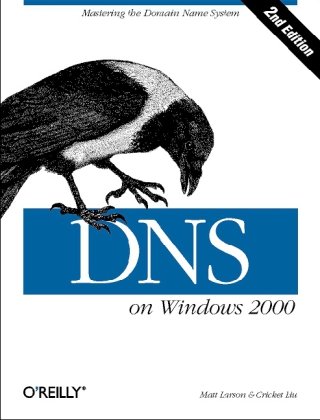
DNS on Windows 2000 2nd Edition by Matt Larson, Cricket Liu ISBN 9780596002305, 0596002300


Original price was: $50.00.$35.00Current price is: $35.00.
DNS on Windows 2000 2nd Edition by Matt Larson, Cricket Liu – Ebook PDF Instant Download/Delivery: 9780596002305, 0596002300
Full download DNS on Windows 2000 2nd Edition after payment
 Product details:
ISBN 10: 0596002300
ISBN 13: 9780596002305
Author: Matt Larson, Cricket Liu
DNS on Windows 2000 is a special Windows-oriented edition of the classic DNS and BIND. The Domain Name System (DNS) is one of the Internet’s fundamental building blocks: the distributed host information database that’s responsible for translating names into addresses, routing mail to its proper destination, and many other services. As the preface says, if you’re using the Internet, you’re already using DNS–even if you don’t know it. Besides covering general issues like installing, setting up, and maintaining the server, DNS on Windows 2000 tackles those specific to the Windows environment: integration between DNS and Active Directory, conversion from BIND to the Microsoft DNS server, and registry settings. You’ll also acquire a grounding in:
Security issues
System tuning
Caching
Zone change notification
Troubleshooting
Planning for growth
What DNS does, how it works, and when you need to use it
How to find your own place in the Internet’s namespace
Setting up name servers
Integrating Active Directory with DNS
Dynamic updates, storing zone information in Active Directory, and incremental zone transfers
Using MX records to route mail
Configuring hosts to use name servers
Subdividing domains (parenting)
Securing your name server: preventing unauthorized zone transfers
Mapping one name to several servers for load sharing
Troubleshooting: using nslookup, diagnosing common problems
If you’re a Windows administrator, DNS on Windows 2000 is the operations manual you need for working with DNS every day; if you’re a Windows user who simply wants to take the mystery out of the Internet, this book is a readable introduction to the Internet’s architecture and inner workings. Topics include:
Table of contents:
1. Background
On the Internet and Internets
The Domain Name System, in a Nutshell
The History of the Microsoft DNS Server
Must I Use DNS?
2. How Does DNS Work?
The Internet Domain Namespace
Delegation
Name Servers and Zones
Resolvers
Resolution
Caching
3. Where Do I Start?
Choosing a Domain Name
4. Setting Up the Microsoft DNS Server
The DNS Console
Setting Up DNS Data
Running a Primary Master Name Server
Running a Slave Name Server
Adding More Zones
DNS Properties
What Next?
5. DNS and Electronic Mail
Adding MX Records with the DNS Console
What’s a Mail Exchanger, Again?
The MX Algorithm
DNS and Exchange
6. Configuring Hosts
Resolver Configuration
Advanced Resolver Features
Other Windows Resolvers
Sample Resolver Configurations
7. Maintaining the Microsoft DNS Server
Logging
Updating Zone Data
Zone Data File Controls
8. Growing Your Domain
Adding More Name Servers
Registering Name Servers
Changing TTLS
Planning for Disasters
Coping with Disaster
9. Parenting
How Many Children?
What to Name Your Children
How to Become a Parent: Creating Subdomains
Subdomains of in-addr.arpa Domains
Good Parenting
Managing the Transition to Subdomains
The Life of a Parent
10. Advanced Features and Security
WINS Linkage
System Tuning
Name Server Address Sorting
Building Up a Large Sitewide Cache with Forwarders
A More Restricted Name Server
A Nonrecursive Name Server
Securing Your Name Server
11. New DNS Features in Windows 2000
Dynamic Update
Aging and Scavenging
Incremental Zone Transfer
Unicode Character Support
12. nslookup
Interactive Versus Noninteractive
Option Settings
Avoiding the Search List
Common Tasks
Less-Common Tasks
Troubleshooting nslookup Problems
Best of the Net
13. Troubleshooting DNS
Checking the Cache
Potential Problem List
Interoperability Problems
Problem Symptoms
14. Miscellaneous
Wildcards
A Limitation of MX Records
DNS and Internet Firewalls
Dial-up Connections
Network Names and Numbers
Additional Resource Records
A. DNS Message Format and Resource Records
A (address)
CNAME (canonical name)
HINFO (host information)
MB (mailbox domain name-experimental)
MD (mail destination-obsolete)
MF (mail forwarder-obsolete)
MG (mail group member-experimental)
MINFO (mailbox or mail list information-experimental)
MR (mail rename-experimental)
MX (mail exchanger)
NS (name server)
NULL (null-experimental)
PTR (pointer)
SOA (start of authority)
TXT (text)
WKS (well-known services)
AFSDB (Andrew File System Data Base-experimental)
ISDN (Integrated Services Digital Network address-experimental)
RP (Responsible Person-experimental)
RT (Route Through-experimental)
X25 (X.25 address-experimental)
PX (pointer to X.400/RFC 822 mapping information)
SRV (service location)
DNS Messages
QCLASS values
QTYPE values
Resource Record Data
Domain name
Message compression
Character string
B. Installing the DNS Server from CD-ROM
C. Converting from BIND to the Microsoft DNS Server
Step 2: Stop the Microsoft DNS Server
Step 3: Change the Zone Data File Naming Convention
Step 4: Copy the Files
Step 5: Get a New Root Name Server Cache File
Step 6: Restart the DNS Server
Step 7: Change the DNS Server Startup Method to Registry
D. Top-Level Domains
People also search for:
how to change dns on windows
how to set dns on windows 11
flush dns on windows
how to flush dns on windows 11
how to set dns on windows 10
Tags: Matt Larson, Cricket Liu, DNS on Windows