
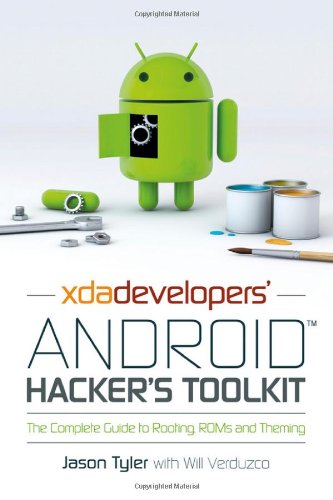
XDA Developers Android Hacker s Toolkit The Complete Guide to Rooting ROMs and Theming 2nd Edition by Jason Tyler, Will Verduzco ISBN 978-1119951384 1119951380


Original price was: $50.00.$35.00Current price is: $35.00.
XDA Developers Android Hacker s Toolkit The Complete Guide to Rooting ROMs and Theming 2nd Edition by Jason Tyler, Will Verduzco – Ebook PDF Instant Download/Delivery: 978-1119951384, 1119951380
Full download XDA Developers Android Hacker s Toolkit The Complete Guide to Rooting ROMs and Theming 2nd Edition after payment
Product details:
ISBN 10: 1119951380
ISBN 13: 978-1119951384
Author: Jason Tyler, Will Verduzco
Make your Android device truly your own
Are you eager to make your Android device your own but you’re not sure where to start? Then this is the book for you. XDA is the world’s most popular resource for Android hacking enthusiasts, and a huge community has grown around customizing Android devices with XDA. XDA’s Android Hacker’s Toolkit gives you the tools you need to customize your devices by hacking or rooting the android operating system.
Providing a solid understanding of the internal workings of the Android operating system, this book walks you through the terminology and functions of the android operating system from the major nodes of the file system to basic OS operations. As you learn the fundamentals of Android hacking that can be used regardless of any new releases, you’ll discover exciting ways to take complete control over your device.
Teaches theory, preparation and practice, and understanding of the OS
Explains the distinction between ROMing and theming
Provides step-by-step instructions for Droid, Xoom, Galaxy Tab, LG Optimus, and more
Identifies the right tools for various jobs
Contains new models enabling you to root and customize your phone
Offers incomparable information that has been tried and tested by the amazing XDA community of hackers, gadgeteers, and technicians
XDA’s Android Hacker’s Toolkit is a simple, one-stop resource on hacking techniques for beginners.
Table of contents:
Introduction
First Things First: What Is XDA
The Dragons that Lie Ahead
Who This Book Is For
What This Book Covers
How This Book Is Structured
What You Need to Use This Book
Part I: What You Need to Know
Chapter 1: Android OS Internals: Understanding How Your Device Starts
The Penguin Down Below
How Your Android Device Starts
Bootstrapping
Adding a Custom Bootloader
Understanding the Bootloader Process
Custom Recoveries: The Holy Grail
Chapter 2: Rooting Your Android Device
Why Should You Root
Increasing the Service Life of the Device
Fixing OEM Defects
Increasing Capability
Customizing the Device
Backing Up Data
Contact Information
Applications and Their Data
Data on the SD Card
How You Can Root and Leave Your OEM’s Control
OEM Flash Software
Exploits
Native Fastboot Flash
Scripted and One-Click Methods
Rooting Two Devices
Nexus One
HTC Thunderbolt
The Root of It All
Chapter 3: The Right Tool for the Job
Ready, Set, Wait I Have to Have What
Connecting a Phone to a Computer
Hacking Tools
USB Cables
USB Debugging
What’s Driving This Thing
Using the Android Debug Bridge
Checking Device Connectivity
Restarting the ADB Service
Copying Files to and from Your Device
Rebooting a Device
The Power of Fastboot
Unlocking a Device
Updating a Device
Flashing a Device
Rebooting a Device
Harnessing the Power of the Penguin with ADB Shell
File System Navigation
File Management
File Access Permissions
Redirection and Piping
Concatenation
BusyBox: Giving the Penguin Back Its Power
The dd Command
The echo Command
The md5sum Command
Chapter 4: Rooting and Installing a Custom Recovery
How to Use Exploits
Exploit Scripts
Exploit Applications
Using a Script or Application on a Device
Hacking Utilities
OEM Tools
Developer Utilities
Image Files
Recovery Mode
What Is Recovery Mode
Make It All So Easy: Get A Custom Recovery
Using ClockworkMod Recovery
Rebooting the Device
Updating a Device from the SD Card
Resetting a Device to Factory Condition
Wiping the Cache
Installing a Zip File from the SD Card
Backing Up and Restoring a Device
Mounting Partitions and Managing Storage
Advanced Functions
Backup and Disaster Recovery
Precautions for Success and Data Recovery
Backing Up Applications
Backing Up Through a Recovery Process
Backing Up Through an Application
What Happens If It Goes Really Wrong
Chapter 5: Theming: Digital Cosmetic Surgery
Changing the Look and Feel of Android
Theming the Launcher
Theming with an Add-on Launcher
Tools Used in Theming
APKManager
Android SDK
Eclipse
A ROM of Your Choice
7-Zip
Paint.NET
Update.zip Creator
Amend2Edify
The Editing Process
Walkthrough for Creating Theme Files
Walkthrough for Creating a Flashable ZIP File
Chapter 6: You’ve Become Superuser: Now What
Popular Multi-Device Custom ROMs
CyanogenMod
Android Open Kang Project
VillainROM
Kernel Tweaks
Backlight Notifications
Voodoo Enhancements
Performance and Battery Life Tweaks
Root Applications
SetCPU
Adfree Android
Chainfire 3D
Titanium Backup
Part II: Manufacturer Guidelines and Device-specific Guides
Chapter 7: HTC EVO 3D: A Locked Device
Obtaining Temporary Root
Using S-OFF and Permanent Root Requirements
Running the Revolutionary Tool
Installing a Custom Recovery
Installing the Superuser Binary
Installing a SuperUser Application
Chapter 8: Nexus One: An Unlockable Device
Root Methods Available
Resources Required for This Walkthrough
Walkthrough
Placing the Nexus One in Fastboot Mode
Flashing a Boot Partition
Getting Full Root Access
Installing a Custom Recovery
Chapter 9: HTC ThunderBolt: A Tightly Locked Device
Root Methods Available
Resources Required for This Walkthrough
Walkthrough
Pushing Files to the Device
Gaining Temporary Root
Checking a File’s MD5 Signature
Writing the Temporary Bootloader
Downgrading the Firmware
Gaining Temporary Root to Unlock the mmc
Rewriting the Bootloader
Upgrading the Firmware
Chapter 10: Droid Charge: Flashing with ODIN
Resources Required for This Walkthrough
Walkthrough
Connecting the Device to ODIN
Flashing the Device
Troubleshooting
Chapter 11: Nexus S: An Unlocked Device
Connecting the Device to a PC
Resources Required for This Walkthrough
Walkthrough
Unlocking the Device
Flashing the Device with a Recovery
Flashing the Device with the SuperUser Application
Chapter 12: Motorola Xoom: An Unlocked Honeycomb Tablet
Resources Required for This Walkthrough
Walkthrough
Pushing the Root File to the SD Card
Unlocking the Xoom
Flashing the Device with a Recovery
Flashing the Device with a Universal Root
Chapter 13: Nook Color: Rooting with a Bootable SD Card
Resources Required for This Walkthrough
Walkthrough
Creating a Bootable SD Card
Booting the Device from the SD Card
Making the Device More Usable
Appendix A: Setting Up Android SDK and ADB Tools
Installing the Java Development Kit
Installing the Android SDK
Installing the Platform Tools
Setting Up Windows Environment Variables
People also search for:
xda developers android 15
xda developers android forums
xda developers android tv
xda developers android tv x86
xda developers android 14
Tags: Jason Tyler, Will Verduzco, XDA Developers, The Complete